
Free Zoom vs Paid Zoom: Which Plan Is Actually Worth It in 2026?
 sds sdsd
Introduction
You’re 38 minutes into a client meeting. The presentation is going well. The client nods along, asking questions, and is genuinely interested. You’re close to wrapping up the key points and moving toward a decision.
And then, without any warning, Zoom kicks everyone out. The meeting ends. Automatically. For everyone.
Your client stares at a blank screen. You scramble to send a new link. By the time everyone rejoins, the energy has completely shifted. You try to pick up where you left off, but the moment is gone. That one interruption (caused by a free plan’s 40-minute timer) cost you far more than the NPR 2,000 a month that Zoom Pro would have.
This is the reality of free Zoom in a professional setting. And it happens to people every single day. So let’s settle this properly: Is free Zoom actually enough, or do you need to pay for it?
We present you the real answer, not a dry feature list, based on how you actually use it, what your work looks like, and what it costs you to get it wrong.
What Do You Actually Get with Free Zoom?
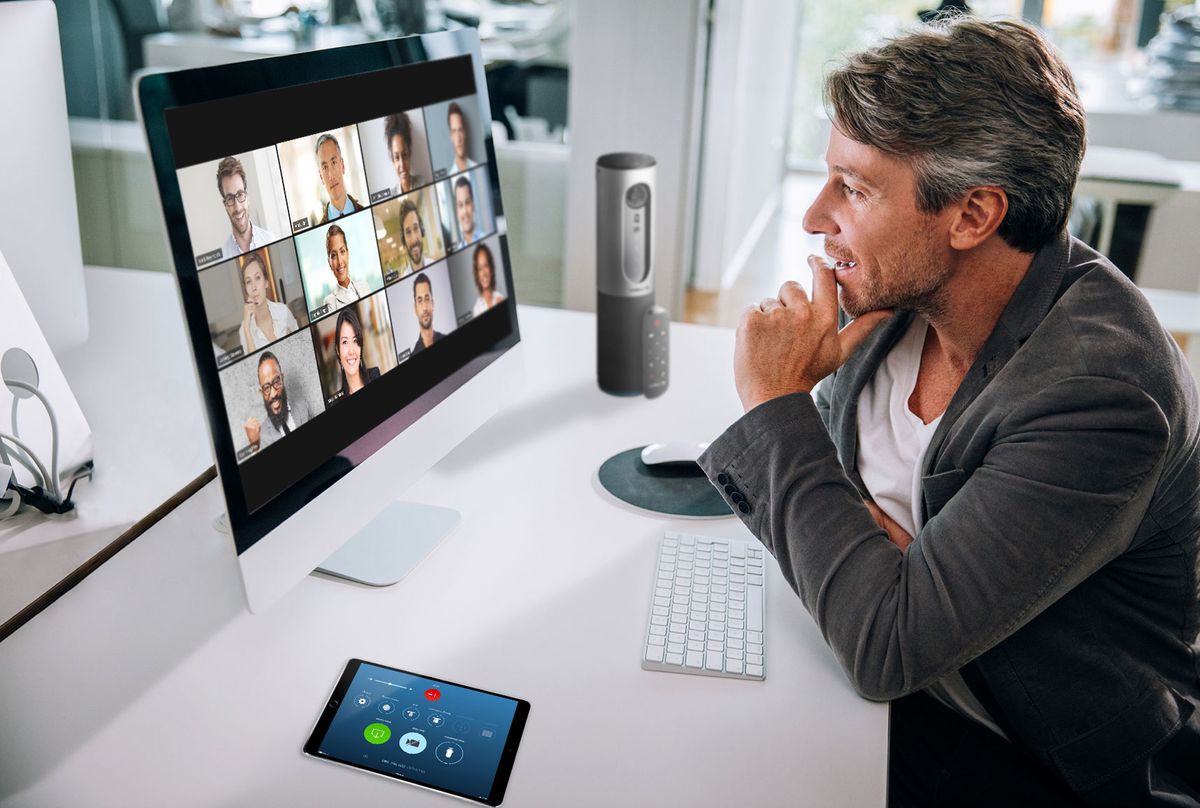
Free Zoom, or officially known as the Basic plan, is more capable than most people give it credit for. Before we talk about its limits, it’s worth understanding what it genuinely offers:
- Unlimited 1-on-1 meetings with no time restrictions whatsoever, as two people can talk for as long as they want
- Group meetings with up to 100 participants
- Screen sharing with a full screen, a single window, or a specific browser tab
- Virtual backgrounds and basic video filters
- In-meeting chat for participants
- 3 collaborative whiteboards for brainstorming
- Local recording to record meetings and save the file directly to your computer
- Basic AI Companion access. So, there are limited features from Zoom’s AI toolkit
For informal use, that’s a solid list. If you’re catching up with a friend, joining a class as a student, or having a quick team check-in that you know will stay under 40 minutes, free Zoom does the job without complaint.
But the moment your needs go beyond these criteria, the cracks start showing.
Where free Zoom quietly fails you
The 40-minute group meeting limit is the one everyone knows about. But it’s not the only limitation worth understanding before you decide:
- No cloud recording: Recordings only save locally to your device. You can’t share a link. You have to manually transfer files.
- No AI meeting summaries: No automated notes, no action items, and no transcripts
- No custom branding: Zoom’s logo appears throughout, not yours
- No polls or Q&A features during meetings
- No live streaming to YouTube or Facebook
- No advanced admin controls: You can’t manage users or set team-wide permissions
- Whiteboards capped at 3: Fine for now, limiting later
Each of these individually is manageable. Together, they paint a clear picture: free Zoom is designed for casual use, not professional reliance.
What is the 40-Minute Limit, Exactly?
It’s time to be very clear about this because a lot of people misunderstand it.
The 40-minute limit applies to group meetings on a free Zoom account, i.e., any meeting with three or more participants hosted by a free account. When the timer hits 40 minutes, the meeting ends for everyone. All participants. Immediately.
A few minutes before the cutoff, Zoom shows a warning countdown. But it does not pause, it does not ask permission, and it does not care that you’re mid-sentence. The meeting simply ends.
One-on-one meetings between two people are not affected, as they run without any time limit on the free plan.
The common workaround people attempt is ending the meeting just before 40 minutes and immediately starting a new one with the same link. Technically, it works.
But ask yourself: how professional does that look? How many times will a client, student, or colleague patiently rejoin before they start wondering if there’s a better way to meet?
What Changes When You Pay for Zoom?
Zoom Pro ($13.33/user/month billed annually) and Zoom Business ($18.33/user/month) aren’t just free Zoom with the timer switched off. The upgrade genuinely changes what Zoom is capable of. Here’s what you actually get:
No meeting time limit. Group meetings run for up to 30 hours. In practice, you run whatever meeting you need for as long as it takes, a 90-minute training session, a 3-hour workshop, a full-day virtual event, without once watching the clock.
Cloud recording with shareable links. Record any meeting, and it uploads automatically to Zoom’s cloud. You get a link you can share with anyone. No uploading, no file management, no “can you email me that recording?” Your 5GB cloud storage (on Pro) handles most use cases comfortably.
Full AI Companion access. Zoom’s AI Companion (which is included at no extra cost in all paid plans since 2024) generates automated meeting summaries, action items, and highlights after every meeting. Your team can stop taking frantic notes and start actually paying attention. This feature alone saves hours across a team each week.
Live transcription. Real-time captions appear as people speak. This helps in accessibility and is useful for participants with poor audio, and for quickly reviewing what was said without scrubbing through a recording.
Custom branding. Replace Zoom’s branding with yours: in the waiting room, on meeting invitations, and throughout the interface. It’s a small detail that professional clients notice.
Polls, Q&A, and live streaming. Run interactive polls mid-meeting. Manage structured Q&A sessions. Stream directly to YouTube or Facebook Live. None of these exist on the free plan.
Admin controls and user management. Zoom Business adds a full admin dashboard where you can manage multiple users, assign roles and permissions, enforce security policies, and review usage analytics across your organisation.
Free vs Paid Zoom: Side-by-Side Comparison
| Feature | Free (Basic) | Pro | Business |
| Group meeting duration | 40 minutes | 30 hours | 30 hours |
| Max participants | 100 | 100 | 300 |
| 1-on-1 meeting duration | Unlimited | Unlimited | Unlimited |
| Cloud recording | ✗ Local only | 5 GB | 10 GB+ |
| AI meeting summaries | Basic | Full access | Full access |
| Live transcription | ✗ | ✓ | ✓ |
| Custom branding | ✗ | ✓ | ✓ |
| Polling & Q&A | ✗ | ✓ | ✓ |
| Live streaming | ✗ | ✓ | ✓ |
| Whiteboards | 3 boards | Unlimited | Unlimited |
| Admin controls | ✗ | Basic | Full + SSO |
The short version: Free = casual. Paid = professional. The 40-minute limit is the most visible difference, but the deeper gap is everything Zoom adds that makes your meetings feel like a real, reliable operation.
Who Should Stay on Free Zoom?
Not everyone needs to upgrade, and we’re not going to pretend otherwise. Free Zoom is genuinely the right choice if:
- You primarily join meetings rather than host them. The time limit only affects the host’s account.
- Your calls are mostly 1-on-1, which have no time limit anyway
- You use Zoom casually for family calls, informal chats, and occasional personal use
- You’re a student attending classes or study groups
- Your meetings consistently stay under 35–38 minutes, and you have no plans to scale up
If that’s your situation, keep the free plan and don’t spend a rupee on it. It does exactly what you need.
Who Actually Needs Paid Zoom?
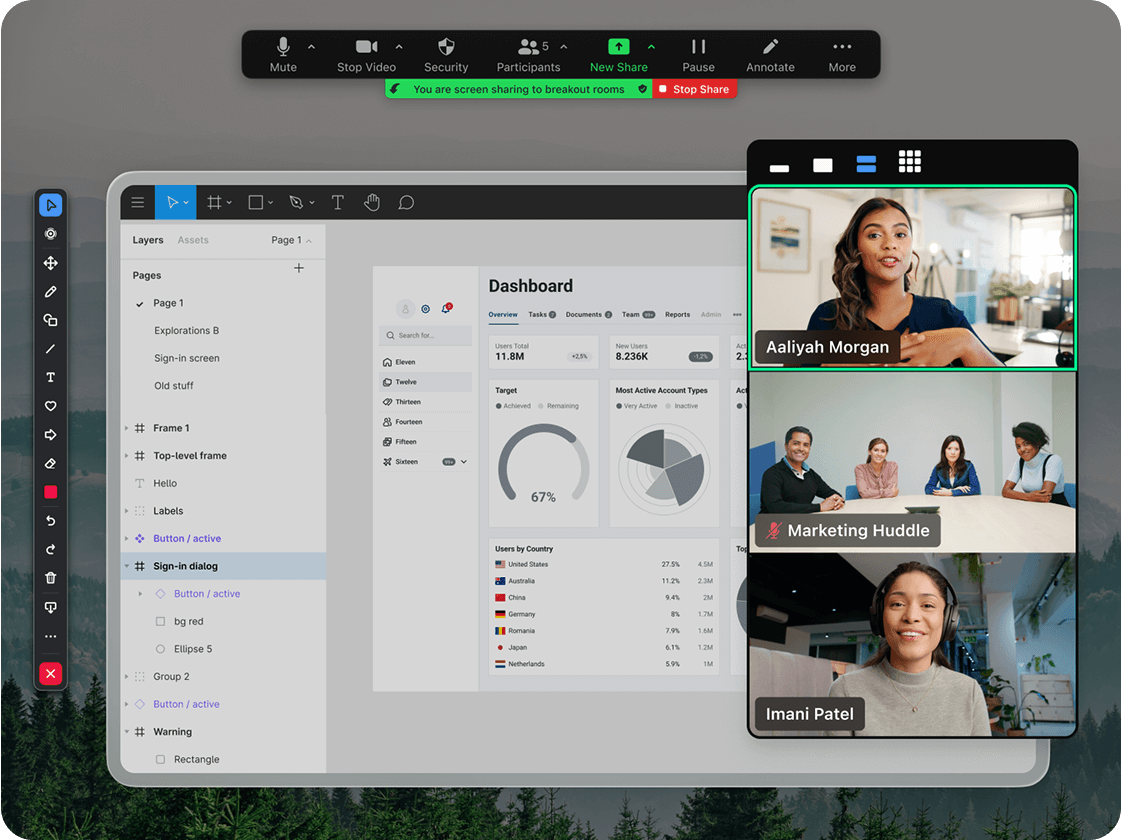
Here’s where the decision gets real. If any of the following describes your work, free Zoom isn’t just inconvenient, but actively costing you.
You host client meetings. A 40-minute cutoff during a client call doesn’t just break the flow. It signals to your client that you’re running on a free account, which raises a quiet question about the level of operation they’re dealing with. Professional client relationships deserve professional tools.
You teach or train online. A standard online class or training session runs 60–90 minutes. Free Zoom ends at 40. Every session. Your students have to close the app, get a new link, and rejoin, and some won’t bother. Cloud recording is equally critical: record the session, share the link, and students who missed class can catch up without chasing you for notes.
You run sales demos or discovery calls. Sales conversations rarely close in 40 minutes, and product demos take as long as they take. If you’re mentally watching the timer during a demo, you’re not fully present. And if the call gets cut, you may have just lost the deal to a subscription that costs less than a meal out.
You manage a remote team. Daily standups, weekly syncs, 1-on-1s, retrospectives, and team management happen inside meeting tools. A recurring 40-minute hard stop isn’t a workflow; it’s a recurring disruption that accumulates into genuine productivity loss across your team.
You need records and accountability. Cloud recording isn’t just convenient. For many businesses, it’s a compliance requirement, like a documented record of decisions made, instructions given, and agreements reached. Local-only recording means manually managing files. Cloud recording means it’s always there, searchable, and shareable.
How to Get Zoom Pro in Nepal: The Part Nobody Else Covers
Here’s something no other Zoom comparison blog will tell you: buying Zoom directly from Zoom.us is more frustrating than it should be if you’re in Nepal.
The typical experience goes like this:
- You decide to upgrade.
- You go to Zoom’s website, you fill in your details, and then Zoom asks for an international credit card.
Most Nepali bank cards aren’t enabled for international online transactions by default. The card gets declined. You try a different card. Same result. You consider calling your bank, wait on hold, give up, and the upgrade doesn’t happen.
Even if the payment goes through, you get a USD invoice with no VAT breakdown, which is essentially useless for business tax documentation in Nepal. A local Zoom reseller removes every one of these obstacles.
Zoom pricing in Nepal (2026)
| Plan | Monthly (NPR) | Annual (NPR) |
| Free | Free | Free |
| Zoom Pro | ~NPR 2,000–2,700 | ~NPR 19,000/year |
| Zoom Business | ~NPR 2,600–3,000 | Contact reseller |
| Webinar add-on (100 attendees) | ~NPR 6,000 | Contact reseller |
Prices are approximate and vary by reseller and exchange rate.
Why buy through a local reseller?
- Pay in NPR: No USD conversion, no international transaction fees
- eSewa, Khalti, ConnectIPS, and bank transfer: Pay the way Nepal actually pays
- Proper VAT invoice: Compliant documentation for business tax deductions
- Local support: Someone in your time zone who actually picks up the phone
- Guidance on the right plan: So you’re not paying for features you don’t need
ThinkMove Solutions is an authorised Zoom reseller in Nepal. We handle licensing, billing in NPR, VAT documentation, and ongoing support. No international card required.
The Verdict: Do you need Free Zoom or Paid Zoom?
Stick with free if you use Zoom casually, mostly join rather than host, and your meetings reliably stay under 40 minutes. It’s a capable free tool, and there’s no reason to upgrade if it already does the job.
Upgrade to Pro if you host client calls, run online classes, manage a remote team, conduct sales demos, or rely on Zoom as a core part of how your business operates. At around NPR 2,000/month in Nepal, Zoom Pro costs less than most monthly subscriptions you’re already running, and it eliminates the single most professionally damaging thing that can happen in an important meeting.
The question was never really “free or paid?” The question is: what does a failed meeting cost you? If the answer is more than NPR 2,000, and for most professionals it is, the upgrade decision is already made.
Need help getting the right Zoom plan for your business in Nepal? ThinkMove Solutions handles licensing, NPR billing, VAT documentation, and local support, without any international card needed.





How We Do it ?
Powering Growth
with Cloud & Automation
Get started in
minutes
Get the latest tech trends, tips & tools
delivered monthly.

 Microsoft Azure
 DevOps
  Software Development
  Staff Augmentation
  React JS
  HTML / CSS / JS
  Website Redesign
  Zoom
Zoom  Bulk Sms
  AIMS
AIMS  Free Zoom vs Paid Zoom: Which Plan Is Actually Worth It in 2026?
Send a message
We're here to help and answer any questions regarding Zoom you might have. Reach out to us — we'd love to hear from you!