
Cloud Consulting: A Strategic Foundation for Modern Businesses

Introduction

The global cloud computing market reached $752 billion in 2024 and is projected to grow to $2.39 trillion by 2030. This is a trajectory that points to something fundamental: cloud decisions now shape business outcomes more directly than ever before. Yet most organizations still treat cloud as an IT subsidiary or a hosting issue rather than a strategic business lever.

That gap is where cloud consulting makes the difference. It’s the practice of aligning cloud technology with business strategy, operating models, and risk tolerance. Cloud can be a driving force in transforming technological choices into competitive advantages.

cloud-consulting

What Is Cloud Consulting? (Beyond the Buzzword)

Cloud consulting answers four questions that determine whether your investment in cloud becomes an asset or a liability:

Why should your organization move to or optimize in the cloud?

Not every workload belongs there. The decision requires analyzing the total cost of ownership, risk exposure, and the value it will provide to your business. This should not just include empty vendor promises or industry trends.

What workloads, data, and processes actually belong in the cloud? 

A consulting-led approach divides your workloads into individual segments. Some applications benefit from cloud-native architectures that enable rapid scaling and advancement. Others run more cost-effectively on-premises. But many require hybrid approaches that balance flexibility with control.

How should cloud architecture be designed for scale, security, and cost efficiency?

Architecture determines long-term success or failure. Poor design decisions compound over time, creating technical debt that’s expensive to unwind. The AWS Well-Architected Framework addresses six pillars: operational excellence, security, reliability, performance efficiency, cost optimization, and sustainability. Here, each pillar represents a critical architectural decision.

Who inside your organization owns, governs, and operates cloud systems post-deployment? 

Cloud isn’t a “set it and forget it” project. Sustainable outcomes require clear ownership, documented processes, ongoing maintenance, and optimization of cycles.

True cloud computing consulting integrates business analysis, cloud architecture and engineering, security and compliance frameworks, financial governance (FinOps), and change management, not just migration services or vendor licensing.

What Cloud Consulting Is Not

Let’s be clear about boundaries. Cloud consulting isn’t providing daily security of infrastructure, vendor certification training, or technical support. It’s especially not about moving servers faster or negotiating better hosting prices.

Cloud consulting focuses on the strategic layer: ensuring technology decisions serve business objectives rather than creating new updates. When done correctly, it prevents the common trap where organizations migrate to the cloud only to discover they’ve replicated physical problems in a more expensive digital environment.

Why Cloud Consulting Has Become Business-Critical

cloud-consulting-for-business

Infrastructure Is No Longer a Back-Office Function

Cloud decisions now directly affect the time of market launching, customer experience, data security and sovereignty, and long-term operating costs. When Stripe processes payments or Netflix streams content, their cloud architecture isn’t supporting the business; it is the business.

Poor cloud decisions compound over time with measurable consequences. That “quick lift-and-shift” migration often leads to 40-60% higher costs than on-premises within 18 months. Security issues discovered months after deployment expose data to breaches & other major problems. Over-engineered architectures create maintenance burdens that slow development velocity, which is the opposite of what motivated cloud adoption.

Cloud Complexity Has Increased Exponentially

Modern cloud environments involve multi-cloud and hybrid deployments spanning dozens of managed services, complex pricing models with hundreds of variables, and shared responsibility security frameworks that confuse even experienced teams.

By 2027, 90% of organizations will operate with a hybrid cloud model, combining on-premises infrastructure with multiple cloud providers. This complexity isn’t accidental, but reflects legitimate business needs for vendor independence, regulatory compliance, and workload optimization. But it demands expert guidance to navigate effectively.

Without structured consulting, organizations often overpay by 30-40%, under-secure critical assets, or over-engineer solutions that increase operational burden rather than reducing it.

What Cloud Consulting Actually Involves (End-to-End View)

Professional cloud consulting services follow a structured progression that aligns technology capabilities with business requirements.

Cloud Strategy & Readiness Assessment

Before any technical work begins, a structured assessment is required. This involves analyzing business goals and growth plans, existing infrastructure and applications, data sensitivity and compliance requirements, and internal technical maturity.

The outcome isn’t a generic roadmap copied from another client. It’s a clear, prioritized cloud strategy with initiatives mapped to business value and risk tolerance. This phase often reveals that certain workloads shouldn’t migrate at all. This conclusion saves significant money and prevents future problems.

cloud-adoption

Cloud Architecture & Design

Architecture determines long-term success or failure. This is where consulting adds the most value, because architectural mistakes are expensive to correct later.

Key focus areas include scalability and resilience patterns, vendor lock-in considerations and mitigation strategies, network and identity architecture that supports zero-trust principles, and data architecture including backup, disaster recovery, and compliance requirements.

Design decisions are documented, justified in business terms, and aligned with organizational risk tolerance. The goal isn’t the most technically impressive architecture, but it should be the architecture that best serves business objectives within operational constraints.

Migration & Modernization

Modern-day cloud migration is represented by the 7 Rs. The 7 Rs of cloud migration include rehost, relocate, replatform, refactor, repurchase, retire, and retain. They represent the strategic approaches for moving applications and workloads to the cloud.

  1. Rehosting (lift-and-shift) moves applications as-is, suitable for quick migrations or workloads where immediate cloud benefits justify minimal changes.
  2. Replatforming (lift-tinker-shift) makes targeted optimizations during migration, such as moving to managed databases or containerizing applications, balancing speed with cloud-native benefits.
  3. Refactoring involves re-architecting applications to fully leverage cloud capabilities like auto-scaling, serverless functions, or microservices. These are the most complex strategies, but potentially the highest long-term value.
  4. Retiring applications that no longer serve business needs and retaining workloads that shouldn’t migrate are equally strategic decisions, often revealing that 15-25% of an application portfolio doesn’t justify migration costs.

A consulting-led approach selects the right strategy per workload based on business value, technical feasibility, and organizational readiness. It should not be a one-size-fits-all migration.

Security, Compliance & Governance

Cloud security is a shared responsibility, often misunderstood by organizations new to cloud environments.

Cloud providers secure the infrastructure, operating system, and physical facilities, while customers are responsible for managing the guest operating system, application software, and security configurations. This division is commonly called “security of” the cloud versus “security in” the cloud, but it creates confusion and security gaps.

Cloud security consulting addresses identity and access management (IAM) with least-privilege principles, data encryption and key management for data at rest and in transit, comprehensive logging, monitoring, and incident response capabilities, and compliance with regulations like GDPR, HIPAA, or local data residency requirements.

The outcome is a security posture that matches business risk tolerance while enabling operational agility, not security theater that creates false confidence or excessive restrictions that hamper productivity.

Cost Optimization & FinOps

More than 20% of organizations have little or no understanding of their cloud costs, leading to budget overruns that erode the cloud’s business case.

Cloud cost overruns are one of the most common failures in cloud adoption. Consulting-driven FinOps includes cost modeling before deployment to set realistic expectations, budget controls, and automated alerts to prevent surprises, resource optimization and rightsizing based on actual usage patterns, and executive-level cost reporting that connects spending to business outcomes.

This isn’t just about reducing costs, but also about cost predictability and allocation. Knowing which products, teams, or customers drive cloud spending enables strategic decisions about pricing, resource allocation, and future architecture.

Enablement, Handover & Continuous Optimization

Cloud consulting doesn’t end at deployment. Sustainable outcomes require comprehensive documentation and knowledge transfer, team training and enablement on cloud operations, ongoing optimization cycles as workloads evolve, and periodic architecture reviews to address new requirements or emerging technologies.

The goal is building internal capability, not creating dependency. Organizations should be able to operate and optimize their cloud environment independently, with consulting engaged for strategic initiatives or specialized expertise.

Cloud Consulting vs. Common Alternatives

Understanding how cloud consulting differs from related services helps clarify its value proposition.

Aspect Cloud Consulting Cloud Reselling Managed Services In-House Only
Primary Focus Strategy & architecture Licensing & billing Day-to-day operations Internal expertise
Time Horizon Long-term foundation Transactional Ongoing operations Variable
Business Alignment High; tied to outcomes Low; focused on volume Medium; service levels High potential, but limited by experience
Architecture Independence Vendor-neutral Vendor-incentivized Provider-specific Limited to internal knowledge
Risk Ownership Shared assessment Minimal involvement Operational risks only Fully internal

ThinkMove Solution positions cloud consulting as the foundation, with reselling and managed services layered on top when they serve client needs, not only as defaults.

Common Cloud Consulting Failures (And How to Avoid Them)

Understanding failure modes is essential to making informed decisions. These patterns appear repeatedly across organizations and industries.

Vendor-Led Architecture

When architecture follows vendor incentives rather than workload needs, organizations inherit lock-in, inflated costs, and constrained roadmaps. Vendors naturally recommend their own services, even when alternatives better serve the client.

Avoidance: Strategy and architecture must precede vendor selection. Define requirements and design principles first, then evaluate vendors against those criteria, not the reverse.

Lift-and-Shift Without Modernization Intent

Rehosting legacy systems without governance or optimization often increases costs while preserving inefficiencies. You’ve moved the problem to a more expensive location without solving it.

Avoidance: Classify workloads individually and select migration strategies based on business value and technical fit. Some workloads justify rehosting as a first step toward future modernization. Others should be retired, retained on-premises, or refactored before migration.

Security as an Afterthought

Assuming the cloud provider “handles security” leads to identity sprawl, misconfigurations, and audit gaps. The shared responsibility model means customers remain accountable for data protection, access controls, and compliance, even on managed services.

Avoidance: Design security, IAM, logging, and compliance requirements into the architecture from day one. Security isn’t a final checklist before launch; it’s also an architectural foundation.

No Financial Governance (FinOps)

Without cost ownership and controls, cloud spending becomes opaque and reactive. Teams provision resources without understanding costs, leading to budget surprises and finger-pointing.

Avoidance: Implement budgets, automated alerts, and cost allocation before scaling. Establish accountability for cloud spending at the team or product level, with visibility into cost drivers and optimization opportunities.

Over-Engineering for Hypothetical Scale

Designing for 100x growth that never materializes creates unnecessary complexity and cost. The allure of “cloud-native” architecture can lead to over-engineering that increases operational burden without corresponding business value.

Avoidance: Right-size architecture for 3x current scale with defined expansion triggers. Build for today’s needs with clear paths to tomorrow’s requirements, not hypothetical futures that may never arrive.

Cloud Consulting in a Nepali Context

Effective cloud consulting contextualizes global best practices to local operational constraints rather than blindly importing foreign architectures.

Connectivity variability across emerging markets requires architectural patterns that tolerate latency and prioritize asynchronous operations over real-time dependencies. Edge caching, content delivery networks, and regional data replication become more critical.

Data residency and regulatory requirements vary significantly by country and industry. Some regions mandate data remain within geographic boundaries, requiring careful provider selection and architecture design to maintain compliance without sacrificing functionality.

Budget sensitivity influences architecture decisions around reserved instances, spot instances, and managed versus self-managed services. Organizations in cost-conscious markets often benefit from hybrid approaches that balance cloud flexibility with on-premises economics for stable workloads.

Regulatory ambiguity in evolving markets requires an architecture that can adapt as regulations clarify, with clear audit trails and data governance that satisfy current requirements while anticipating future changes.

These realities don’t diminish architectural quality. Instead, they inform architectural decisions that serve real operational constraints rather than theoretical ideals.

Our Cloud Consulting Philosophy at ThinkMove Solution

Three principles guide our approach to cloud consulting, differentiating advisory-led consulting from vendor-driven services.

Architecture First, Tools Second

Technology choices follow architectural requirements, not vendor pressure, partner incentives, or industry trends. We evaluate serverless versus containerized approaches based on workload patterns and team capabilities, not which vendor offers better margins.

This vendor neutrality enables honest recommendations that serve client interests, even when that means advising against migration or suggesting hybrid approaches that reduce cloud vendor revenue.

Business Outcomes Over Technical Vanity

Every design decision is justified in business terms: cost reduction, risk mitigation, speed to market, or scalability requirements. We don’t recommend architectures because they’re technically impressive or resume-worthy, but recommend what serves business objectives within operational constraints.

This pragmatism often means simpler architectures with lower operational burden, even when more sophisticated alternatives exist. The best architecture is the one that works reliably with available resources, not the one that wins architectural beauty contests.

Global Standards, Local Execution

We apply international cloud frameworks and security standards while operating with a deep understanding of regional constraints. Your cloud architecture should be defensible in any market while functioning effectively in your specific operational context.

This means implementing AWS Well-Architected principles with awareness of local connectivity patterns, applying zero-trust security models within budget constraints, and designing for compliance with both current and anticipated regulatory requirements.

Cloud Platforms We Consult On

aws-cloud-in-nepal

While our consulting approach is vendor-neutral, we maintain deep expertise across major cloud platforms to serve client needs effectively.

AWS Cloud Consulting: Enterprise-scale flexibility and the deepest service catalog, suitable for organizations prioritizing breadth of capabilities and global reach.

Google Cloud Consulting: Data, analytics, and AI-first architectures, particularly strong for organizations building on data science and machine learning capabilities.

Microsoft Azure Consulting: Hybrid cloud and Microsoft ecosystem alignment, optimal for organizations with existing Microsoft investments seeking cloud integration.

Platform selection follows workload requirements and organizational context, not partnerships or vendor incentives.

When Should a Business Engage a Cloud Consultant?

Several triggers indicate that cloud consulting would provide disproportionate value relative to cost.

Rapid growth or geographic expansion that strains existing infrastructure requires architecture that scales efficiently without proportional cost increases.

Performance, availability, or reliability issues that impact customer experience or revenue signal architectural problems that require expert diagnosis and remediation.

Escalating or unpredictable infrastructure costs suggest optimization opportunities or architectural inefficiencies that consulting can address systematically.

Security, audit, or compliance pressure from customers, partners, or regulators requires structured approaches to security architecture and governance that consulting accelerates.

Preparing for SaaS modernization, data platforms, or AI initiatives that demand cloud-native capabilities, benefit from architectural foundation-setting before building new capabilities.

Legacy infrastructure blocking product roadmap, where technical debt prevents delivering features customers demand, justifies consulting investment to unblock strategic initiatives.

The common thread: situations where architectural decisions have significant business consequences and internal expertise is insufficient to navigate complexity confidently.

Cloud Is a Journey, Not a Project

Cloud adoption isn’t a destination with a defined endpoint. It’s an ongoing evolution as business requirements change, technologies mature, and competitive dynamics shift.

Cloud consulting provides the structure, governance, and expertise required to ensure cloud adoption remains a strategic asset rather than becoming a technical liability. It establishes architectural foundations that support future requirements, not just immediate needs.

Organizations that treat cloud consulting as an investment in strategic capability, not as an expense to minimize, consistently achieve better business outcomes, lower total costs, and higher organizational satisfaction with cloud adoption.

As your cloud journey evolves, ThinkMove Solutions is here to ensure your architecture continues serving your business objectives effectively.

Ready to create your own cloud strategy? Connect with our team for a cloud readiness assessment, architecture review, or second opinion on your existing cloud setup.

Zoom vs Microsoft Teams 2026: Which is Better for Your Nepal Business?

Introduction:

Pitching Zoom vs Microsoft Teams can feel overwhelming. Both platforms promise seamless video calls and collaboration, but they’re built for different purposes. What works for a digital agency in Thamel might be completely wrong for a software company in Lalitpur.

In this guide, we’ll break down the key differences between Zoom and Microsoft Teams, specifically from a Nepal business perspective. You’ll learn about features, pricing in NPR, and most importantly, which platform actually makes sense for your situation.

zoom-vs-microsoft-teams

Quick Comparison: Zoom vs Teams at a Glance 

Here’s what you need to know upfront:

Feature Zoom Microsoft Teams
Best For External meetings & webinars Internal MS collaboration & Office integration
Free Plan Yes (40-min limit for groups) Yes (60-min limit)
Max Participants Up to 1,000 (paid plans) Up to 10,000 (with add-ons)
Chat Basic Advanced (persistent channels)
File Storage None Yes (1TB with M365)
Office Integration Limited Native & seamless
Starting Price ~NPR 1,800/user/month ~NPR 800/user/month (with M365)
Internet Speed Needed 1.5 Mbps minimum 2 Mbps minimum
Best for Nepal Works on slower connections Needs a stable internet

The bottom line: Zoom is a purpose-built collaboration platform for meetings and webinars. Teams is an all-in-one collaboration platform that happens to include meetings.

Platform Overview: Zoom vs Microsoft Teams

What is Zoom?

Zoom was launched in 2013 with one mission: make video meetings simple. It succeeded. Zoom is now the go-to platform for virtual meetings because it just works, even if your non-tech-savvy clients can join without calling for help.

Zoom’s core strengths:

  • Incredibly simple user experience
  • Superior video/audio quality on Nepal’s variable internet speeds
  • Powerful webinar capabilities for large audiences
  • Perfect for external meetings (clients, partners, customers)

In Nepal, Zoom is popular among educational institutions, training companies, consultancies, and businesses that frequently meet with external stakeholders.

What is Microsoft Teams?

Microsoft Teams (launched in 2017) is fundamentally different. It’s your team’s digital workspace that combines video meetings, persistent chat, file storage, and seamless integration with Microsoft Office apps.

Think of Teams as your digital office, not just a meeting tool.

Teams’ core strengths:

  • All-in-one collaboration hub (meetings, chat, files in one place)
  • Included with Microsoft 365 (no extra cost)
  • Perfect for internal team collaboration
  • Enterprise-grade security and compliance

Teams is slowly gaining traction among medium-to-large Nepal businesses, IT companies, banks, and organizations already using Microsoft 365.

Key Features Compared 

Meeting Experience

Winner: Zoom (slight edge)

Both deliver solid video quality, but Zoom handles Nepal’s variable internet speeds better. It adjusts intelligently when bandwidth fluctuates (common during peak hours).

Zoom advantages:

  • Simpler join process (one-click, no account needed)
  • Better virtual backgrounds (extensive library, smoother performance)
  • Gallery view shows up to 49 participants
  • Works smoothly on older computers

Teams advantages:

  • Together mode (creative but not essential)
  • Integrated with Outlook calendar
  • No time limit on free plan (60 minutes vs Zoom’s 40)

Nepal reality: If your internet occasionally drops to 1-2 Mbps, Zoom handles it better. Teams can get choppy or drop quality significantly.

Real scenario: You’re a Kathmandu digital agency presenting to a new client. With Zoom, they click the link, and you’re presenting in seconds. With Teams, they might need to download the app, wait in the lobby, and struggle on a slower connection. For client-facing meetings, Zoom wins.

Webinars & Large Events

Winner: Zoom (significantly)

If you host webinars, training sessions, or virtual events, Zoom is purpose-built for this.

Zoom Webinars:

  • Support up to 10,000 attendees
  • Professional registration pages
  • Presenter controls (attendees can’t unmute themselves)
  • Q&A, polls, and hand-raise features work flawlessly
  • Practice sessions before going live

Teams Live Events:

  • Can handle up to 10,000 viewers
  • More complex setup
  • Less intuitive controls
  • Better for internal town halls than external webinars

Real use case: Organizing a 500-person product launch? Zoom Webinars takes 15 minutes to set up. Teams Live Events? You’ll spend an hour troubleshooting and wishing you’d chosen Zoom.

Note: Zoom Webinars require a separate license (starting ~NPR 6,000/month). But if webinars are core to your business, it’s worth every paisa.

Learn more about Zoom Webinar pricing and features →

Chat & Collaboration

Winner (Traditional Setup): Microsoft Teams

Microsoft Teams has long been positioned as a collaboration-first platform, especially for organizations already operating inside the Microsoft ecosystem.

Microsoft Teams Chat

  • Persistent channels organized by teams and projects
  • Centralized, searchable conversations, files, and meeting recordings
  • @mentions and threaded discussions for structured communication
  • Deep integration with SharePoint, Planner, OneNote, and Power BI

For many teams, this creates a strong sense of continuity across chat, files, meetings, and tasks.

Zoom (Meetings-Only Setup)

When Zoom is used only as a meeting tool, collaboration is limited:

  • Basic one-on-one and group chat
  • Conversations are often tied to individual meetings
  • Limited continuity across projects
  • Files and discussions are spread across external tools

In this setup, teams typically rely on multiple additional tools, like Slack for chat, Asana for tasks, Dropbox or Drive for files, which results in fragmented workflows.

Where Zoom Workplace Changes the Equation

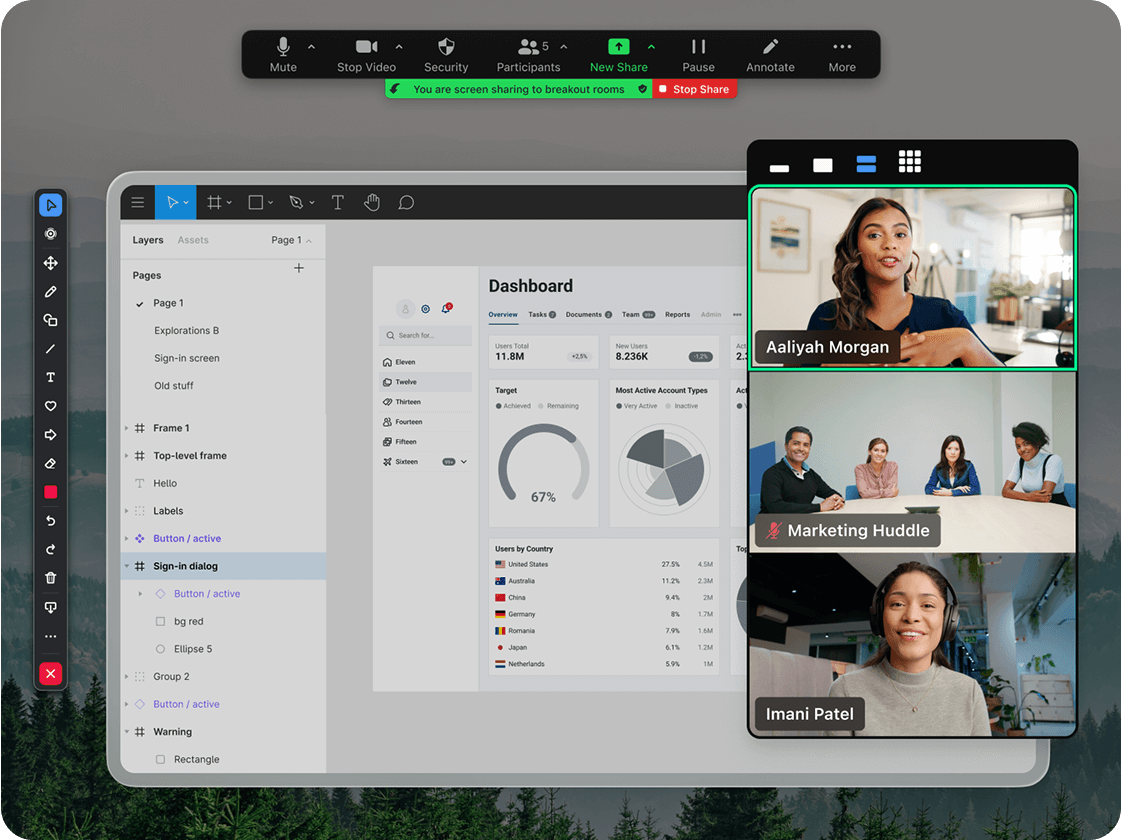
This comparison shifts significantly once Zoom is implemented as Zoom Workplace, rather than as a standalone meeting tool. Zoom Workplace extends Zoom into a unified collaboration environment, combining meetings, persistent team chat, shared documents, whiteboards, and AI-assisted workflows within a single platform.

Zoom Workplace Collaboration Capabilities

  • Persistent team and project-based chat spaces
  • Searchable conversations and shared content across meetings and chat
  • Seamless transition between chat, meetings, and collaborative work
  • Built-in documents and whiteboards for ongoing collaboration
  • Reduced dependence on multiple third-party tools

Rather than replacing Teams feature-for-feature, Zoom Workplace addresses the same core problem: tool sprawl and broken collaboration flow.

Practical Scenario: 30-Person Software Company

With Microsoft Teams & Office:
You create channels for each client project. Developers discuss work, share files, and store meeting recordings in the channel. Everything lives inside the Microsoft ecosystem.

With Zoom Meeting & Workplace:
Teams collaborate through persistent chat spaces tied to projects, launch meetings directly from conversations, share documents and whiteboards, and keep context intact across communication. Meetings, discussions, and collaboration artifacts remain connected, without requiring four or five separate tools.

Key Difference:

  1. Microsoft Office & Teams excels when your organization is already Microsoft-centric. It remains the stronger choice for organizations deeply invested in the Microsoft 365 platform.
  2. Zoom Meeting & Workplace are designed for teams that want a simpler, video-first collaboration platform without fully committing to Microsoft’s stack.

Feeling overwhelmed by too many collaboration tools? We help teams simplify their setup and design a collaboration system that actually works. Request a collaboration consultation today→

Recording & Storage

Zoom:

  • Cloud recording (paid plans): 1GB included, extra storage costs money
  • Local recording (all plans): Save to your computer, no storage limits
  • Downloadable MP4 files (easy to share externally)

Microsoft Teams:

  • Recordings saved to SharePoint/OneDrive
  • 1TB storage per user (with Business Standard)
  • Recordings automatically appear in the relevant Teams channel
  • Better for internal sharing, trickier for external

Nepal consideration: If you record frequently (training companies, educators), Teams’ 1TB per user is generous. Zoom charges for extra cloud storage.

Pricing: What You’ll Actually Pay in Nepal

Zoom Pricing (According to the market)

Zoom Basic (Free):

  • Unlimited 1-on-1 meetings
  • 40-minute limit on group meetings
  • 100 participants max
  • Local recording only

Zoom Pro: ~NPR 1,800 to 2,400/user/month

  • Unlimited meeting duration
  • 100 participants
  • 5GB cloud recording
  • User management

Zoom Business: ~NPR 2,600 to 3,000/user/month

  • Everything in Pro
  • 300 participants
  • Company branding
  • Minimum 10 licenses

Zoom Add-ons:

  • Zoom Webinars (100 attendees): ~NPR 6,000/month
  • Additional cloud storage: ~NPR 600/month per 10GB

Besides these, there are other plans, such as Zoom Enterprise. If you are operating any educational institute, Zoom also offers its Education Plan.

Microsoft Teams Pricing (According to the market)

Teams (Free):

  • Unlimited chat
  • 60-minute meetings
  • 100 participants
  • 5GB storage
  • No recording

M365 Business Basic: ~NPR 800/user/month

  • Unlimited meetings
  • 1TB storage
  • Web/mobile Office apps
  • Meeting recording

M365 Business Standard: ~NPR 1,600/user/month

  • Desktop Office apps (Word, Excel, PowerPoint)
  • Webinar hosting (300 attendees)
  • Advanced security

Microsoft also offers other plans, including plans for various institutions like Office365 for Students, MS365 Family, etc. Microsoft even offers advanced licenses for huge enterprises with the MS365 E3 and E5.

Real Cost Comparison

Small Agency (8 people):

  • Zoom: 8 × NPR 1,800 = NPR 14,400/month (meetings only)
  • Need: Slack (~NPR 6,400), Dropbox (~NPR 6,400) = Total: ~NPR 27,200/month (unless you opt out for Zoom Workplace)
  • Teams: 8 × NPR 1,600 = NPR 12,800/month (includes everything)
  • Winner: Teams saves NPR 14,400/month

Training Company (5 trainers, weekly webinars):

  • Zoom: 5 × NPR 1,800 + NPR 18,000 (webinar license) = NPR 27,000/month
  • Teams: 5 × NPR 1,600 = NPR 8,000/month
  • Winner: Teams saves NPR 19,000/month…but Zoom’s webinar quality is significantly better. Worth paying extra if webinars are your core business.

Software Company (40 developers, already using M365):

  • Zoom: NPR 72,000/month + existing M365 cost
  • Teams: NPR 0/month (already included in M365)
  • Winner: Teams saves NPR 864,000/year — no-brainer.

Want a custom pricing analysis? Request a quote to calculate exactly what you’d pay→

When to Choose Each Platform

You can tick off the following checklists if you’re wondering or deciding to choose between the two platforms:

Choose Zoom If You:

✓ Primarily meet with external clients, partners, or customers

✓ Host regular webinars or training sessions (100+ attendees)

✓ Need the simplest possible user experience for guests

✓ Have inconsistent internet (Zoom works better on 1.5-2 Mbps connections)

✓ Aren’t already using Microsoft 365

Best for: Consultancies, agencies, coaching institutes, event organizers, client-facing businesses

Example: A Kathmandu digital marketing agency with 12 people meeting clients daily and hosting monthly webinars for 200+ attendees.

Choose Microsoft Teams If You:

✓ Need internal collaboration (chat, file sharing, project management)

✓ Already use Microsoft 365 for Office apps and email

✓ Want everything in one platform (meetings, chat, files, apps)

✓ Have stable internet (2+ Mbps consistently)

✓ Need enterprise security and compliance

✓ Primarily meet internally with your team

Best for: Software companies, remote teams, enterprises, banks, organizations with Microsoft 365

Example: A Lalitpur software company with 50 employees working on multiple projects needing organized collaboration channels.

Pros & Cons Summary

While both platforms have their own use cases and scenarios, they do come with their own set of pros and cons.

Zoom

Pros:

  • Simplest user experience
  • Superior meeting quality on slower internet
  • Best webinar features
  • Works on older computers
  • Low mobile data usage

Cons:

  • No file storage
  • Chat not persistent
  • Need separate tools for teamwork

Microsoft Teams

Pros:

  • All-in-one workspace
  • Included with Microsoft 365
  • Persistent chat & channels
  • 1TB storage per user
  • Native Office integration

Cons:

  • Steeper learning curve
  • Requires better internet
  • Complex for external guests
  • Can feel overwhelming initially

Can You Use Both?

Yes. Some businesses use both:

  • Zoom for external client meetings and webinars
  • Teams for internal team collaboration

This makes sense if you’re already on Microsoft 365 (Teams is free) and webinars are important to your business (Zoom is better).

Set Up & Getting Started in Nepal

Here are the steps to set up both platforms so you can see for yourself and find out which suits you better.

Zoom Setup

  1. Create an account at zoom.us
  2. Download desktop/mobile app
  3. Schedule your first meeting
  4. Configure key settings (waiting room, recording preferences)
  5. Start meeting in under 5 minutes

Internet requirements: Minimum 1.5 Mbps, recommended 3 Mbps

Finding it overwhelming to set up your own Zoom ecosystem? Contact us today and get an expert Zoom setup consultation for your business→

Teams Setup

  1. Get a Microsoft 365 subscription
  2. Download the Teams app
  3. Set up team structure and channels
  4. Add team members
  5. Configure Outlook calendar integration

Internet requirements: Minimum 2 Mbps, recommended 4 Mbps

Nepal ISP recommendations: Worldlink, Vianet, and Subisu generally provide stable speeds for both platforms. If you’re on 10-20 Mbps plans, both work fine.

Final Recommendation

Here’s our honest take: most Nepal businesses should start with Microsoft Teams if they already use (or need) Microsoft 365. You’re paying for Office anyway, and Teams comes free. It handles meetings well enough for internal calls and provides collaboration tools you’d otherwise buy separately.

However, choose Zoom if:

  • You frequently meet with external clients
  • You host webinars regularly
  • Meeting quality is critical to your business
  • You want the simplest possible experience

And remember: you’re not locked in. Both platforms offer monthly plans. Try the free versions, then commit once you’re sure.

Still not sure which fits your business? That’s exactly what ThinkMove Solutions helps with. We’ll analyze your specific needs, team size, and budget to recommend the right solution. We can also help with setup, training, and ongoing support.

Updated News: PayPal in Nepal 2026

PayPal in Nepal: Everything You Need to Know in 2026

By BankRateNepal.com
Published on ThinkMoveSolutions.com

In a global economy where freelancers, entrepreneurs, and creators work across borders, PayPal remains one of the world’s most trusted online payment platforms.
But if you live in Nepal, you’ve probably asked the same question over and over

“Is PayPal available in Nepal?”

The short answer: No, not officially.
However, there’s more to the story and this guide will help you understand what’s possible, what’s not, and what alternatives you can safely use.

 Why PayPal Isn’t Fully Available in Nepal

Although millions of users worldwide rely on PayPal, Nepali users still face restrictions.
This is mainly because of Nepal Rastra Bank (NRB) regulations around foreign currency control and international payment gateways.

Here are the main reasons why PayPal in Nepal remains limited:

  1. Foreign Exchange Restrictions
    NRB allows limited outward remittance. Direct linking of PayPal with Nepali bank accounts is not yet approved.

  2. Lack of Regulatory Partnership
    For PayPal to operate officially, it must collaborate with a licensed Nepali financial institution — something still under review.

  3. Compliance and Anti-Money Laundering (AML) Rules
    Global platforms like PayPal need countries to meet strict KYC and AML requirements, which Nepal is still developing at a digital infrastructure level.

So, while you can create a PayPal account, you cannot receive or withdraw money in NPR currency through Nepali banks.

What You Can Do With PayPal in Nepal

Nepal’s growing tourism and trekking industry also highlights the importance of reliable international payment systems. Every year, thousands of trekkers visit destinations like Everest Base Camp, Annapurna Circuit, and Langtang, often booking guides, accommodations, and trekking packages online before arriving in Nepal. Many international travelers prefer paying through global platforms like PayPal because of their security and convenience.

However, since PayPal is not officially available in Nepal, many trekking agencies and adventure businesses rely on alternatives such as Payoneer, SWIFT transfers, or Wise to receive advance payments from international clients. As Nepal’s adventure tourism sector continues to expand, improved access to global payment gateways could significantly simplify transactions for trekking companies, freelancers, and travel entrepreneurs.

Despite restrictions, Nepali users can perform a few limited actions using PayPal:

  • Create a PayPal account with a verified email address.

  • Link an international debit or credit card issued by a global bank.

  • Use PayPal for online purchases, subscriptions, or software payments that accept card-based transactions.

However, these features are partial you cannot receive funds or withdraw directly into Nepali bank accounts.

Common Workarounds Used by Nepali Users

Many freelancers and entrepreneurs have found unofficial ways to access PayPal’s benefits, but these come with risks:

  1. Using Payoneer’s Virtual Bank Account
    Some users link PayPal to their Payoneer account, but this is unofficial and not always stable.

  2. Creating PayPal from Abroad
    Nepalis living abroad (with foreign addresses and bank accounts) can create verified accounts.

  3. Friends or Relatives’ Accounts
    Some users route payments through friends abroad useful but risky.

  4. Third-party Fund Transfer Services
    Some “PayPal loaders” offer to send or receive funds for a fee, but these are unsafe and violate PayPal’s Terms of Service.

⚠️ Important: Avoid fake or VPN-based PayPal accounts. They can get flagged, restricted, or permanently suspended.

Legal Alternatives to PayPal in Nepal (2026)

While PayPal isn’t officially supported, there are several legal and NRB-compliant alternatives Nepalis can use for international transactions:

1. Payoneer

  • Best for freelancers and small businesses.

  • Offers USD and EUR receiving accounts.

  • Direct bank withdrawals to major Nepali banks.

  • Compatible with Fiverr, Upwork, and Amazon.

2. Wise (TransferWise)

  • Transparent international transfers with real exchange rates.

  • Supports NPR deposits via partner banks.

  • Ideal for individuals and businesses receiving overseas payments.

3. SWIFT Transfers

  • Available through commercial banks in Nepal.

  • Reliable for higher-value remittances and business transactions.

4. eSewa Global & Khalti International (Coming Soon)

  • Both eSewa and Khalti have applied for NRB approval to launch global payment gateways for verified business transactions.

These services are safe, regulated, and steadily bridging the gap left by PayPal.

Impact on Freelancers and Online Entrepreneurs

Nepali freelancers and tech professionals have been among the most affected by PayPal’s absence.
Platforms like Fiverr and Upwork pay mostly through PayPal or Payoneer.

To adapt, most freelancers in Nepal now:

  • Use Payoneer for client payments.

  • Withdraw funds through local bank accounts.

  • Manage foreign currency earnings using BankRateNepal’s rate tracker.

You can check Nepal’s latest bank rates and term loan rates at BankRateNepal.com to make informed financial decisions when converting or withdrawing foreign earnings.

When Will PayPal Come to Nepal?

According to local fintech experts, it’s not a question of if, but when.
Nepal’s Digital Economy Framework aims to attract international payment gateways by mid–2026 to early–2027.

Progress signs include:

  • Growth of fintech startups and digital wallets

  • Increased NRB flexibility for controlled foreign transactions

  • Demand from freelancers and online merchants

Once these systems meet international compliance, PayPal could officially enter the Nepali market — possibly through a local banking partner.

How to Stay Safe While Using Digital Payment Tools

As online payment options grow, so do scams and fake services. Keep these precautions in mind:

  • Avoid using VPNs to create fake PayPal accounts.

  • Use two-factor authentication (2FA) on all digital wallets.

  • Only use licensed, NRB-approved services.

  • Track foreign currency rates on trusted sources like BankRateNepal.com.

 Quick Summary: PayPal in Nepal 2026

Feature Status
Officially available ❌ No
Create PayPal account ✅ Yes (limited use)
Receive money in Nepal ❌ Not allowed
Send payments internationally ✅ Possible with linked global card
Legal alternatives ✅ Payoneer, Wise, SWIFT
Expected official entry Mid 2026–2027 (projected)

Understanding Zoom Partners: A Complete Guide to Authorized Zoom Solutions in Nepal

Introduction:

Zoom partners are authorized organizations certified by Zoom to sell, implement, and support Zoom’s collaboration platform. In Nepal, working with a Zoom partner provides VAT-compliant NPR billing, same-timezone support, and expert deployment assistance. Such benefits are unavailable through direct purchase from Zoom itself.

When businesses in Nepal search for Zoom partners, they’re looking for more than software licenses. They need trusted advisors who understand local business requirements, provide VAT-compliant invoicing, and deliver dedicated support during Nepal business hours. 

Whether you’re a startup exploring video conferencing solutions or an enterprise planning a large-scale Zoom deployment, understanding Zoom partners and how they differ from direct purchasing saves time, money, and operational headaches.

The Zoom partnership ecosystem often confuses businesses. This guide intends to answer all the Zoom-related questions with clarity and help you make informed decisions about working with authorized Zoom partners in Nepal.

What Are Zoom Partners & the Zoom Partnership Ecosystem?

Zoom partners are organizations authorized by Zoom Video Communications to sell, implement, and support Zoom’s video conferencing and collaboration platform through official certification programs.

These partners undergo rigorous certification, ongoing training, and performance qualification through Zoom’s partnership programs to deliver specialized services that complement direct purchasing. Rather than competing with Zoom, authorized partners extend Zoom’s reach into local markets while providing enhanced services that improve customer success.

The Zoom Partnership Structure

The Zoom partnership ecosystem includes six distinct partner types, each serving specific business needs:

  1. Reseller Partners: They are the organizations that directly bill and invoice customers for Zoom licenses, handling complete sales transactions, including local currency billing and VAT invoicing. Most of the companies are listed under this term, so it’s better not to be confused, since the two terms are interchangeable.

zoom-partner

  • What they do: License sales, custom packaging, local billing infrastructure
  • Best for: Nepal businesses needing VAT invoices, NPR payment options, and flexible payment terms
  • Program: Zoom Up Partner Program (Sales competency)
  1. Solutions Partners: They are the technical experts certified in Zoom deployment, configuration, and integration services.
  • What they do: Implementation planning, system integration, configuration optimization
  • Best for: Enterprises with complex requirements, organizations integrating Zoom with existing infrastructure, and teams needing customized deployments
  • Certification: Zoom Solutions Partner designation
  1. Services Partners: These are the post-sales specialists focused exclusively on customer success, training, and ongoing support.
  • What they do: Technical support, training programs, managed services, optimization consulting
  • Best for: Organizations maximizing long-term Zoom investment value
  • Certification: Zoom Up Services Program
  1. Referral Partners: They are more marketing-focused organizations that recommend Zoom solutions to their networks.
  • What they do: Lead generation, solution recommendations, commission-based partnerships
  • Best for: Organizations exploring Zoom for the first time, seeking unbiased recommendations
  1. Technology Alliance Partners: These are the software vendors whose products integrate seamlessly with Zoom’s platform.
  • Examples: Salesforce, Microsoft Teams, Google Workspace, Slack
  • Value: Enhanced functionality through integrated workflows
  1. Authorized Distributors: They are the regional distributors supporting reseller ecosystems across territories.
  • Scale: Large-volume partner enablement
  • Relevance: Understanding distribution chains helps identify reputable local partners

Why Choose a Zoom Partner Over Direct Purchase?

For most Nepal businesses, Zoom partners provide local billing (VAT-compliant NPR invoices), same-timezone support, faster deployment, and ongoing expertise, which are advantages worth more than any minor price difference.

The Direct vs Partner Decision

zoom-reseller

This question drives most Nepal business decision-making: should we purchase Zoom directly from Zoom.com, or work with an authorized Zoom partner?

The answer depends on your organization’s specific needs, but for Nepal-based operations, local Zoom partners typically provide compelling advantages.

Local Payment & Compliance Advantages

The Direct Purchase Challenge:

  • International USD transactions
  • Credit card processing only
  • Foreign exchange fees (3-5% per transaction)
  • Accounting complexity (USD-to-NPR reconciliation)
  • Lack of full-access to global payment systems like PayPal

The Partner Advantage in Nepal:

  • VAT-compliant NPR invoicing
  • Bank transfer and online banking options
  • Simplified expense tracking
  • No forex charges

Real Cost Example: A 50-person organization saves NPR 15,000-20,000 annually in forex charges alone, before considering time savings in payment processing and accounting reconciliation.

Same-Timezone Support That Matters

Response Time Reality Check:

When critical meeting issues arise at 2 PM Nepal time, direct Zoom support (operating PST) means potential 12+ hour response delays. This timing gap creates business disruption precisely when you need rapid resolution.

Authorized Zoom Partners in Nepal Provide:

  • Same-day response during Nepal business hours
  • Understanding of local internet infrastructure challenges
  • ISP-specific troubleshooting knowledge
  • Business context awareness for Nepal operations
  • Training options in the Nepali language, when needed

Deployment Speed & Expertise

Direct Purchase means Self-Service:

  • Receive license credentials
  • Configure independently
  • Learn through trial and error
  • Typical activation: 2-3 days

Partner-Assisted Deployment:

  • Guided configuration
  • Pre-optimized templates for Nepal businesses
  • Integration with local systems (attendance, payroll)
  • Expert best practices application
  • Typical activation: 2-4 hours

The time savings alone often justify partner engagement, especially for growing organizations where every day counts.

Custom Solutions & Flexible Licensing

Zoom’s direct sales model offers standard tiers: Pro, Business, Business Plus, and Enterprise. These plans serve many organizations well, but some businesses need flexibility beyond standard offerings.

Partner Flexibility Includes:

  • Usage-based license bundling
  • Seasonal licensing (educational institutions)
  • Pilot programs (departmental testing before company-wide rollout)
  • Simplified upgrade/downgrade paths
  • Custom enterprise arrangements

This flexibility proves especially valuable for Nepal’s education sector, where student populations fluctuate significantly between semesters.

Ongoing Expertise & Strategic Value

Zoom releases feature updates monthly. Staying current requires dedicated attention and ongoing team education.

Partner-Provided Ongoing Value:

  • Regular feature update training
  • Nepal business case-specific best practices
  • Advanced troubleshooting beyond basic support
  • Strategic video conferencing optimization consulting
  • ROI maximization guidance

This transforms your Zoom partner from one-time vendor into long-term strategic advisor; a relationship that compounds value over time.

Related Resource: For a detailed cost-benefit analysis, organizations benefit from comparing the total cost of ownership, including time, support, and training, and not just the license pricing.

How to Choose the Right Zoom Partner in Nepal

zoom-support

You can check the following criteria to confirm that the Zoom Partner you’re picking is an official partner:

  • Verify official authorization
  • Check technical certifications
  • Confirm local presence
  • Review customer references
  • Ensure billing flexibility
  • Define post-sales support SLAs
  • Evaluate value-added services.

Not all organizations claiming Zoom partnership status offer equivalent service, certification, or local infrastructure. Apply these seven evaluation criteria to ensure working with qualified, trustworthy authorized Zoom partners.

1. Official Authorization Status 

Verification Checklist:

  • Listed on Zoom’s official partner locator directory
  • Display current authorized partner badges/certifications
  • Provide Zoom Up partner program level (Enrolled, Sales, Performance)
  • Share official partner agreement documentation

Red Flag: Organizations claiming partnership without verifiable credentials likely operate as unauthorized resellers.

2. Technical Certifications 

Certification Indicators:

  • Product-specific certifications (Meetings, Phone, Rooms, Contact Center)
  • Solutions Partner designation for implementation expertise
  • Services Partner certification for post-sales support
  • Recent certification dates (indicates ongoing training)

Why This Matters: Certifications require competency demonstration and ongoing education, ensuring partners stay current with Zoom’s evolving platform.

3. Local Presence & Support Infrastructure 

Essential Requirements:

  • Physical office location in Nepal
  • Local phone number with stated support hours
  • Nepal-based technical staff
  • Documented support response times

Warning: Remote-only partners operating from other countries cannot deliver equivalent localized service.

4. Customer References & Track Record 

Request From Potential Partners:

  • Nepal-based client testimonials
  • Industry-specific case studies (your vertical)
  • Verifiable customer list (with permission)
  • Deployment success metrics

Reputable partners readily provide references; reluctance signals potential issues.

5. Billing & Payment Flexibility 

Evaluate:

  • VAT invoice capability
  • Transparent NPR pricing (no hidden fees)
  • Multiple payment methods (bank transfer, online banking, possibly credit terms)
  • Clear payment terms and processes

Payment flexibility often indicates partner financial stability and customer-focused commitment.

6. Post-Sales Support Definition 

Clarify Before Engagement:

  • Service Level Agreement (SLA) with defined response times
  • Training offerings (onboarding, ongoing, feature updates)
  • Dedicated account management versus generic support queues
  • Escalation procedures for critical issues

Post-sales support quality determines long-term satisfaction more than initial pricing.

7. Value-Added Services 

Bonus Services Indicating Commitment:

  • Integration support (Google Workspace, Microsoft 365)
  • Hardware recommendations (Zoom Rooms equipment)
  • Usage analytics and optimization consulting
  • Strategic planning assistance

Partners offering comprehensive services demonstrate investment in customer success beyond transactional license sales.

Red Flags Warranting Caution 

Avoid partners who:

  • Cannot provide official authorization credentials
  • Lack of local support infrastructure
  • Quote unclear pricing with hidden fees
  • Offer no post-sales training or support
  • Pressure to make immediate decisions without consultation
  • Cannot explain Zoom’s partnership programs

ThinkMove Solutions: Your Authorized Zoom Solutions Partner in Nepal

ThinkMove Solutions maintains official Zoom partnership authorization through Zoom Video Communications’ certification program, enabling us to deliver enterprise-grade Zoom solutions with verified local expertise and support infrastructure.

Our Zoom Partnership Credentials

Official Zoom Authorization:

  • Authorized Zoom reseller in Nepal
  • Listed on Zoom’s global partner locator
  • Active Zoom Up Partner Program member
  • Current partnership verification is available

Technical Certifications:

  • Zoom Meetings deployment certification
  • Zoom Phone implementation specialist
  • Zoom Rooms configuration expertise
  • Ongoing certification maintenance (updated quarterly)

What Distinguishes ThinkMove in Nepal’s Market

Nepal-Focused Expertise:

Our team brings years of experience serving Nepal’s business landscape, with a deep understanding of local internet infrastructure challenges, regulatory requirements, and business operational patterns. This Nepal-specific knowledge translates to faster deployments, more effective training, and proactive solutions addressing issues before they impact your operations.

We’ve successfully deployed Zoom across education, finance, healthcare, and enterprise sectors, each with unique requirements and constraints specific to Nepal’s market conditions.

Comprehensive Service Portfolio:

Our engagement spans the complete Zoom lifecycle:

  • License Sales: All Zoom plans (Pro through Enterprise)
  • Implementation: Complete setup and configuration services
  • Training: Team onboarding, best practices workshops, feature-specific sessions
  • Support: Dedicated local support desk with same-day response commitment (business hours)
  • Optimization: Ongoing usage analytics, recommendations, strategic planning

This end-to-end approach provides single-contact convenience versus navigating multiple vendors or support channels.

Local Advantages We Deliver:

  • VAT-compliant invoicing in NPR (simplified accounting)
  • Same-day support ticket response (Nepal business hours)
  • Free initial consultation and needs assessment
  • Flexible payment terms for enterprise clients
  • No foreign exchange exposure
  • Direct local accountability

Our Zoom Product Expertise

Complete Zoom Platform Coverage:

  • Zoom Meetings: Pro, Business, Business Plus, Enterprise plans
  • Zoom Webinars: Large-scale event and virtual conference capability
  • Zoom for Education: Customized Zoom plan for educational and training institutes
  • Zoom Workplace: Collaboration platform offered by Zoom

This breadth ensures we support your unified communications evolution as organizational needs grow.

Making Your Decision: Partner or Direct Purchase?

When Direct Purchase Makes Sense

Direct Zoom purchase suits:

  • Very small teams (1-5 users) are comfortable with self-service technology
  • Organizations with dedicated IT staff experienced in SaaS deployments
  • Businesses not requiring local currency billing or VAT invoices
  • Teams preferring unified international procurement systems

When Nepali Zoom Partners Provide Greater Value

Working with Zoom partners proves more valuable for:

  • Growing organizations (10+ users) where deployment efficiency matters
  • Businesses without a dedicated IT staff need expert guidance
  • Organizations requiring VAT-compliant NPR invoicing for accounting
  • Teams valuing the same-timezone local support infrastructure
  • Enterprises planning complex deployments with integration requirements

The decision transcends simple license cost. It encompasses the total cost of ownership, including your team’s time, deployment speed, ongoing optimization quality, and support infrastructure quality.

For most Nepal businesses, the comprehensive support, local expertise, and operational convenience of working with authorized Zoom partners outweighs minor price variations.

Ready to Optimize Your Zoom Experience?

Whether exploring Zoom initially or expanding existing deployment, working with authorized Zoom solutions partners in Nepal ensures expert guidance, local support, and optimal configuration for your specific needs.

ThinkMove Solutions offers:

  • Free consultation assessing video conferencing requirements
  • Appropriate Zoom plan recommendations and configuration guidance
  • Transparent NPR pricing with zero hidden fees
  • Deployment timeline tailored to organizational readiness

Take the Next Step: Contact ThinkMove Solutions today to discover how the right Zoom partner transforms your experience from simply purchasing software to building true unified communications solutions that grow with your business.

Zoom for Education in Nepal: Complete Guide for Online Learning in 2026

Introduction:

The COVID-19 pandemic fundamentally transformed how educational institutions in Nepal deliver learning. During the lockdown period, almost every student was engaged in online classes, with Zoom emerging as the most commonly used platform. Starting as an emergency response, the Zoom for Education plan has evolved into a permanent fixture for education in Nepal.

Teachers across Nepal have visualized a hybrid model of pedagogy after the pandemic, combining face-to-face and online teaching rather than returning to 100% physical classrooms. With approximately 49,000 schools, 301,000 teachers, and over 7.5 million students from school to university levels, the demand for reliable video conferencing solutions has never been higher.

Why Zoom Has Become the #1 Platform for Online Learning in Nepal

zoom-for-education

The Shift to Hybrid and Remote Learning

Nepal’s government mandated the closure of all educational institutions on March 19, 2020, affecting an estimated 8.2 million students. This unprecedented situation forced educational institutions to adopt digital solutions rapidly. Universities, schools, and other educational institutions in Nepal have started offering online classes using various ICT tools, such as Zoom, Google Meet, and MS Teams, with Zoom proving to be particularly effective for video conferencing and distance learning.

The impact extended across all educational levels. Among affected students, 11% were from pre-primary level, 28% from primary level, 39% from secondary level, and 5% from tertiary education. This massive disruption accelerated Nepal’s digital education transformation by at least five years.

Why Nepali Institutions Prefer Zoom Over Alternatives

Nepal’s educational institutions face unique infrastructure challenges. According to the Economic Survey, among 29,707 public schools, only 8,366 have computers. Yet, 90.56% of Nepal’s population has access to the internet, primarily through mobile devices. This mobile-first reality makes Zoom’s excellent smartphone app performance critical.

Key advantages for Nepal:

  • Low Bandwidth Performance: Works reliably on 2-5 Mbps connections, essential when an overwhelming number of Nepalese rely on mobile data to access the internet
  • Mobile-First Design: With 60% and over students using smartphones for learning, Zoom’s mobile app outperforms competitors
  • Simple Interface: Teachers with limited tech skills can start teaching within minutes
  • Reliable Audio Quality: Clear voice transmission even on unstable connections
  • Local Support: Available through authorized Zoom partners in Nepal like ThinkMove Solutions

The Cost of Using Free Zoom Accounts

The free Zoom Basic plan imposes a 40-minute limit on group meetings, severely disrupting educational continuity. A typical 45-60 minute class gets interrupted just as students engage with the material, forcing teachers to restart sessions and students to rejoin repeatedly.

Beyond the time limitation, free accounts lack:

  • Attendance tracking and reporting
  • Advanced security controls for student safety
  • Centralized admin management for schools
  • Cloud recording for absent students
  • Professional institutional credibility

For schools conducting 4-6 classes daily, these interruptions waste precious instructional time and create frustration for both teachers and students.

What Is Zoom for Education?

Zoom for Education vs Regular Zoom Plans

Zoom for Education offers educational institutions significant advantages over standard business plans:

Academic Discount Pricing: 30-50% off standard commercial rates, making professional video conferencing affordable for schools operating on tight budgets.

Education-Specific Features: Direct integration with Learning Management Systems like Moodle, Google Classroom, and Canvas, platforms already used by many Nepali universities.

Volume Licensing: Simplified licensing for institutions with 10-200+ faculty members, with centralized billing and management.

Priority Support: Faster response times for technical issues affecting classes.

Data Protection Compliance: Built-in safeguards for student data privacy, critical when teaching minors.

Who Qualifies for Zoom Education Plans in Nepal?

Eligible Institutions: 

→Government and private schools (K-12)
→Colleges and universities
→Technical training institutes
→Coaching and entrance preparation centers
→EdTech platforms and online course providers
→NGOs with educational programs
→Professional training organizations

Verification Requirements:

  • Valid educational institution registration with the Ministry of Education
  • School/college email domain or official documentation
  • PAN/VAT registration for invoicing purposes

In the academic year 2024/25, Nepal has 35,447 schools, of which 27,298 (77.0%) are community and religious schools, and 8,149 (23.0%) are institutional schools. All qualify for educational pricing.

Why Licensed Accounts Matter for Educational Institutions

  1. Unlimited Class Duration: No 40-minute interruptions disrupting learning flow
  2. Centralized Control: Admin dashboard to manage all teacher accounts, set policies, and monitor usage
  3. Enhanced Security: Protect student data with advanced security features and compliance tools
  4. Professional Credibility: Official educational accounts build trust with parents and students
  5. Scalability: Seamlessly grow from 100 to 1,000+ students as your institution expands

Need general business Zoom plans? View enterprise options.

Essential Zoom Features for Online and Hybrid Classrooms

These features transform Zoom from a simple video conferencing tool into a complete virtual classroom platform, addressing specific teaching and learning needs in Nepal’s educational context.

1. Breakout Rooms for Group Activities

Breakout Rooms allow teachers to split large classes into smaller discussion groups, which is essential for maintaining engagement when class sizes reach 50-100 students.

Educational Uses:

  • Small group discussions (5-6 students per room)
  • Project collaboration sessions
  • Language practice pairs for various subjects
  • Peer review activities
  • Differentiated instruction based on student ability

Nepal Context: With an average student-to-school ratio of 205.80 for basic to secondary level, class sizes can be large. Breakout rooms are essential for personalized attention.

2. Attendance Tracking & Reporting

Automatic recording of who joined each class, when they arrived, and how long they participated—critical for institutional accountability.

Why It Matters:

  • Meet institutional attendance requirements
  • Monitor student participation patterns
  • Easy CSV export for student information systems
  • Identify students at risk of falling behind
  • Provide documentation for parents and administrators

Reports Include:

  • Join time and leave time (to the second)
  • Total duration in meeting (minutes and seconds)
  • Name verification against the class roster
  • Late arrivals and early departures
  • Attendance percentage calculated over time

3. Cloud Recording & Local Storage

Save complete class sessions for students who missed live classes or need to review material for exams.

Storage Options:

Cloud Recording: Stored on Zoom’s servers, accessible via shareable link. Students can watch from any device without downloading large files, which is ideal for those with limited smartphone storage.

Local Recording: Saved directly to the teacher’s computer. Provides complete control over distribution but requires sufficient hard drive space.

Educational Benefits:

  • Revision material for board exams (SEE, +2)
  • Accommodate sick or absent students
  • Build a content library for future batches
  • Train new teachers using recorded exemplary lessons
  • Parent transparency (share recordings for review)

Best Practice: Record to the cloud for easy distribution; use local recording as backup for sensitive content.

4. Interactive Whiteboard & Annotation Tools

Digital blackboard functionality allows teachers to draw, write, and explain visually, which proves to be essential for subjects like mathematics, science, and languages.

Features:

  • Draw diagrams, equations, and geometric shapes
  • Type text in multiple fonts and sizes
  • Insert shapes, arrows, and connectors
  • Multiple colors for clarity
  • Allow students to annotate collaboratively
  • Save the whiteboard as an image for sharing

Perfect For:

  • Mathematics problem-solving and equation derivation
  • Science diagrams (biology, chemistry, physics)
  • Language teaching (grammar trees, sentence structure)
  • Brainstorming sessions with student input
  • Visual learning for students who struggle with audio-only instruction

5. Screen Sharing with Annotation

Share your computer screen while teaching, allowing students to see exactly what you’re demonstrating.

Use Cases:

  • Present PowerPoint slides with lecture notes
  • Demonstrate software (critical for computer science classes)
  • Show educational videos or animations
  • Navigate websites together for research skills
  • Display PDF textbooks or documents

Advanced Feature: Students can annotate shared screens in real-time, excellent for marking errors during grammar lessons or highlighting important points during lectures.

6. Polls & Quizzes for Interactive Learning

Real-time polling keeps students engaged and provides instant feedback on comprehension.

Educational Applications:

  • Quick comprehension checks after explaining concepts
  • Collect student opinions for discussion topics
  • Anonymous feedback (“Did you understand this section?”)
  • Pre-assessment before introducing new topics
  • Gamification through quiz competitions

Results: Instant visualization shows response distribution, helping teachers identify concepts needing clarification.

7. Waiting Room & Host Controls (Classroom Security)

Students wait in a virtual lobby until the teacher admits them individually. This is critical for classroom safety and preventing disruptions.

Security Benefits:

  • Verify student identity before granting access
  • Prevent unauthorized users or strangers from joining
  • Control the exact timing of student entry
  • Remove disruptive participants permanently
  • Lock the meeting once all enrolled students arrive

This feature is particularly important for schools teaching younger students or conducting examinations online.

8. Scheduled & Recurring Classes

Set up repeating meeting links for an entire semester, eliminating daily technical overhead.

Benefits:

  • Same Zoom link for all Monday 9 AM Mathematics classes
  • Students save the link once and reuse it all term
  • No confusion about changing daily meeting IDs
  • Dramatically reduces technical support burden
  • Appears automatically in teachers’ and students’ calendars

Setup: Schedule → Recurring meeting → Select frequency (daily/weekly/monthly) → Save

9. One-Click Join for Students

Students simply click a link and enter directly without complicated registration or account creation.

Why It Matters in Nepal: Teachers’ poor digital skills prevent them from delivering effective learning, and delivering learning to homes has been challenging in under-resourced contexts. One-click joining reduces the technical barrier for both teachers and students.

Advantages:

  • Reduces join time from 5 minutes (with account creation) to 30 seconds
  • Works on any device, including phone, laptop, or tablet
  • No need to remember or type meeting IDs
  • Eliminates password confusion
  • Students can join even without the Zoom app (via browser)

10. LMS Integration (Moodle, Google Classroom, Canvas)

Connect Zoom with your existing Learning Management System for seamless operation.

Benefits:

  • Launch Zoom classes directly from LMS course pages
  • Automatically sync attendance data back to LMS
  • Embed class recordings in course modules
  • Single sign-on reduces login friction for students

Supported Platforms: Moodle, Google Classroom, Canvas, Blackboard—platforms used by major Nepali universities, including Tribhuvan University (hosting over 75% of the country’s 441,789 university students), Pokhara University, Purbanchal University, and Kathmandu University.

How Different Educational Institutions Use Zoom in Nepal

zoom

Primary & Secondary Schools (K-12)

Common Applications:

  • Daily online classes across all subjects (Mathematics, Science, English, Nepali, Social Studies)
  • Hybrid learning (some students physically in the classroom, others joining remotely)
  • Parent-teacher meetings are conducted virtually, increasing participation
  • Teacher training and professional development sessions
  • Virtual school assemblies and special events
  • Remedial classes for struggling students
  • Make-up classes for absent students due to illness or family obligations

Key Features Used:

  • Breakout rooms for small group work
  • Waiting room for student verification and security
  • Cloud recording for student revision
  • Interactive whiteboard for visual teaching

Typical Setup:

  • 15-30 teacher licenses (depending on school size)
  • 200-300 participant capacity for assemblies
  • Moderate cloud storage (500GB-1TB)

In Nepal, 7,468 schools (21.1% of total) offer Grades 1 to 10, while 3,953 schools (11.2%) provide education up to Grade 12. These institutions form the backbone of Nepal’s educational system.

Colleges & Universities

Common Applications:

  • Large lecture halls accommodating 100-500 students
  • Department seminars and research presentations
  • Faculty meetings and academic committee discussions
  • Guest lectures from international experts via video link
  • Master’s and PhD thesis defenses
  • Student organization meetings and activities
  • Hybrid classrooms combining in-person and remote students

Key Features Used:

  • Large meeting capacity (500-1,000 participants)
  • Cloud recording for building lecture archives
  • Breakout rooms for tutorial sessions and group projects
  • Live polls for in-lecture assessments and engagement
  • Deep LMS integration with Moodle or Canvas

Typical Setup:

  • 50-150 faculty licenses
  • 500-1,000 participant capacity
  • High cloud storage needs (2TB-5TB or unlimited)

Tribhuvan University alone enrolls over 330,000 students, followed by Pokhara University with 30,542 students and Purbanchal University with 27,527 students. These large institutions require enterprise-grade solutions.

Coaching & Entrance Preparation Institutes

Common Applications:

  • Live entrance exam coaching (IOE entrance, MBBS entrance, CMAT, LSAT, SAT)
  • Real-time doubt-clearing sessions after recorded lectures
  • Mock test discussions and performance analysis
  • Strategy sessions for exam preparation
  • Multiple batch management (morning/afternoon/evening/weekend batches)
  • Recorded content library for student revision
  • One-on-one mentoring for personalized attention

Key Features Used:

  • Recurring class schedules for consistent timing
  • Cloud recording with batch content reuse
  • Attendance tracking for accountability and payment verification
  • Interactive polls for quick practice quizzes
  • Breakout rooms for personalized doubt sessions

Typical Setup:

  • 10-20 instructor licenses
  • 300 participant capacity (sufficient for most coaching batches)
  • High recording storage (1TB-3TB) for content library

Entrance coaching is a massive industry in Nepal, with thousands of students competing annually for limited seats in prestigious programs.

Training Institutes (Professional Development)

Common Applications:

  • Skill-based training (IT certification, English language, soft skills)
  • Corporate training delivery for employee development
  • Professional certification courses (accounting, project management)
  • Continuing education programs for working professionals

Key Features Used:

  • Breakout rooms for hands-on practice and exercises
  • Screen sharing for software demonstrations
  • Cloud recording for certificate verification and compliance
  • Detailed attendance reports for training compliance

Is Zoom Safe for Students?

Quick Answer: Yes, when properly configured with education-specific security settings enabled.

Understanding Zoom’s Security Features

Built-in Protection:

  • End-to-end encryption (E2EE) for all meetings
  • Secure data centers with geographic redundancy
  • GDPR and FERPA compliance for student data protection
  • Regular security audits and vulnerability patching
  • Industry-standard password protection and authentication

Essential Security Settings for Schools

Before Every Class:

  1. Enable Waiting Room: Review each student’s identity before admitting them
  2. Set Meeting Password: Share only with enrolled students via secure channels
  3. Lock Meeting: Once all students join, prevent new entries
  4. Disable Screen Sharing: Set to “Host Only” to prevent disruptions
  5. Mute Upon Entry: All students start muted, reducing initial chaos

During Class: 

  1. Monitor Participant List: Watch for unauthorized users or suspicious activity 
  2. Suspend Activities: Emergency “freeze” button stops all participant actions 
  3. Remove & Block: Permanently eject disruptive participants 
  4. Disable Private Chat: For younger students, prevents cyberbullying

After Class: 

  1. Review Recordings: Check for inappropriate behavior or incidents 
  2. Control Recording Access: Never make recordings publicly accessible

Age-Appropriate Security Measures

For Primary Students (Age 5-12): 

→Strict waiting room enforcement with identity verification
→Disable all student interactions (chat, screen sharing, annotations)
→Teacher-controlled environment only
→Recommend parent supervision during classes
→Shorter class durations (30-40 minutes maximum)

For Secondary Students (Age 13-18): 

→Waiting room enabled with standard verification
→Allow monitored chat with teacher approval
→Enable the hand-raise feature for participation
→Use breakout rooms with periodic teacher monitoring
→Implement a clear code of conduct with consequences

For College Students (Age 18+): 

→Password protection is generally sufficient
→Full interaction features enabled
→Emphasize student responsibility and academic integrity
→Obtain explicit recording consent at session start

Protecting Student Privacy

Data Minimization:

  • Collect only necessary information (name, email, student ID)
  • Avoid recording personally identifiable information unnecessarily
  • Consider using generic display names (Student ID numbers instead of full names)

Recording Consent:

  • Inform students at class start: “This session is being recorded.”
  • Obtain written parental consent for recording minors
  • Store recordings securely with access restricted to authorized personnel only
  • Delete recordings after their educational purpose expires

Third-Party Access Prevention:

  • Never share Zoom links publicly on social media or websites
  • Use registration forms to control who receives meeting links
  • Regularly update passwords (weekly or bi-weekly)
  • Revoke access for withdrawn or graduated students

Bandwidth Requirements & Tips for Stable Classes

Minimum Internet Speed Requirements

For Teachers (Hosting):

  • Minimum: 3 Mbps upload / 3 Mbps download
  • Recommended: 5 Mbps upload / 5 Mbps download
  • Optimal: 10+ Mbps upload / 10+ Mbps download

For Students (Attending):

  • Minimum: 1.5 Mbps download
  • Recommended: 3 Mbps download
  • For HD Video: 3.8 Mbps download

Nepal Context: Most major ISPs (WorldLink, Vianet, Subisu, ClassicTech) offer plans ranging from 20-100 Mbps, which exceed Zoom’s requirements. However, actual speeds can vary significantly based on location and network congestion.

Wondering if you should buy Zoom directly? Check out our blog on why it’s better to buy Zoom locally.

ThinkMove Solutions: Your Local Zoom Education Partner in Nepal

What Makes ThinkMove Different?

  1. Local VAT/PAN Compliant Billing
  • Official VAT invoices in Nepali Rupees (NPR)
  • PAN registration for institutional accounting requirements
  • Recognized by Nepal’s tax authorities (IRD)
  • No foreign currency transaction complications or conversion fees
  1. Flexible Local Payment Options
  • Direct bank transfer to any Nepali commercial bank
  • eSewa payment gateway integration
  • Khalti digital wallet support (where applicable)
  • Institutional purchase orders accepted with credit terms
  • Flexible payment schedules for budget-constrained schools
  1. Dedicated Educational Support
  • Nepali-speaking technical support team
  • Deep understanding of Nepal’s education system structure
  • Same-day response times during school hours
  1. Complete Onboarding & Training
  • Admin panel configuration and setup assistance
  • Teacher training sessions (online or on-site at your institution)
  • Customized training based on your teachers’ tech proficiency
  • Ongoing support throughout the entire license period
  1. Faster Implementation
  • No waiting for international approval processes
  • Same-day or next-day license activation
  • Nepal Time Zone support (GMT+5:45) during business hours
  • Immediate troubleshooting without time zone delays
  1. Consultancy for Large Institutions
  • Capacity planning: How many licenses does your school actually need?
  • Feature recommendations based on specific use cases
  • Integration planning with existing LMS and student information systems
  • Hardware recommendations for hybrid classroom setups
  • Network optimization consultation for bandwidth-constrained campuses

Our Experience with Educational Institutions

Proven Track Record:

  • Portfolio includes colleges, universities, and consultancies
  • High customer satisfaction and renewal rates exceeding 90%
  • Long-term partnerships with institutions since 2020

Educational Institutions We Serve

Our Client Base Includes:

  • Medical colleges conducting MBBS and BDS programs
  • +2 colleges of various streams and faculties
  • MBA and management institutes affiliated with various universities
  • Entrance coaching centers for competitive exams
  • Language training institutes (English, Japanese, Korean)
  • Professional certification bodies and corporate training providers
  • EdTech startups and online course creators

Ready to Transform Your Institution’s Online Learning?

Contact ThinkMove Solutions today for:

✓ Free consultation tailored to your institution’s specific needs
✓ Custom quote based on actual requirements, not generic packages
✓ Live demo session for decision-makers and key faculty
✓ No obligation, no pressure sales approach

Zoom Reseller in Nepal: Why Buying Through an Authorized Partner Is Better for Your Business

Introduction: The Real Challenge of Buying a Zoom License in Nepal

Zoom has become one of the most essential tools for businesses, schools, NGOs, and IT companies in Nepal. But when it’s time to upgrade from the free version to advanced Zoom licenses like Pro, Business, or Enterprise, most Nepali users face the same problems:

  • International card not working
  • USD payment failure
  • No VAT bill
  • No local support
  • Refund complications
  • Activation confusion

That’s why buying through an authorized Zoom reseller has become the smarter, more reliable choice for Nepali businesses.

In this guide, you’ll learn exactly why choosing a Zoom partner in Nepal beats direct purchase, backed by real Nepali business context and practical solutions.

What Is an Authorized Zoom Reseller in Nepal?

An authorized reseller in Nepal is an official Zoom partner recognized by Zoom Video Communications to sell and support Zoom licenses locally. Unlike buying directly from Zoom’s international website, authorized resellers provide:

  • Local payment options in NPR
  • VAT-compliant billing for Nepali companies
  • Local customer support in Nepali business hours
  • Assisted with onboarding and setup
  • Renewal management with local reminders

This means you get all the benefits of Zoom’s premium plans without the hassles of international transactions or self-service setup.

Zoom Reseller vs Direct Purchase: The Complete Comparison

Understanding the difference between buying directly from Zoom and purchasing through a local authorized reseller is crucial for making the right decision.

Feature Buying Direct from Zoom Through Authorized Zoom Reseller Nepal
Payment Method USD Card Only NPR, Bank Transfer, FonePay, Cheque
Billing No VAT Bill VAT-Compliant Tax Invoice
Customer Support Global Support (Email/Chat) Local Nepali Support (Phone/WhatsApp)
Activation Help Self-service only Assisted onboarding & setup
Renewal Auto-charge in USD Local renewal reminders in NPR
Pricing USD-only pricing Local pricing with VAT included
Refunds Slow, global queue Local assistance & faster resolution
Account Setup DIY admin configuration Expert professional setup & support

This comparison alone shows why 60%+ of Nepal businesses now prefer authorized resellers.

The Problem with Direct Zoom Purchase from Nepal

When Nepali businesses try to buy Zoom licenses directly from Zoom, they encounter several real-world problems:

1. Payment Gateway Issues

Most Nepal-issued credit/debit cards face restrictions when making international USD payments:

  • Daily/monthly USD spending limits
  • 3D Secure authentication failures
  • Web transaction blocks by banks
  • “Transaction declined” errors without explanation

Real scenario: Your finance team tries to purchase Zoom Business for 15 employees. The card declines. You call the bank. They say it’s approved on their end. Zoom says payment failed. Three days wasted.

2. No VAT Bill for Zoom Billing

When you buy directly from Zoom:

  • You cannot get a Nepali VAT invoice
  • This means you cannot claim it as an official business expense
  • Your accountant cannot properly record the expense
  • Audit issues arise for NGOs and grant-funded organizations

For companies operating in Nepal, this is a deal-breaker.

3. Zero Local Support for Nepali Zoom Users

Zoom’s global support is professional, but:

  • Works in different time zones (response delays)
  • Doesn’t understand Nepal-specific payment issues
  • Cannot provide Nepali-language assistance
  • No phone support for local troubleshooting
  • No one-on-one help for non-technical staff

When your important meeting is in 30 minutes, and licenses aren’t activating, global email support isn’t enough.

4. Common Zoom Payment Errors Nepali Businesses Face

  • “Your card was declined.”
  • International card not working on Zoom.
  • “Payment method not supported in your region.”
  • Auto-renewal failures are causing sudden service interruptions
  • Currency conversion confusion
  • Unable to update payment method

These problems happen weekly to Nepali organizations trying to buy or renew Zoom directly.

Why Buy a Zoom License in Nepal Through an Authorized Reseller

1. Local Payment Options & No USD Card Hassle

The biggest advantage: Pay in Nepali Rupees through methods you already use.

With an authorized Zoom reseller in Nepal, you can pay via:

  • Bank transfer in NPR
  • Online payment (QR/FonePay/eSewa)
  • Company cheque
  • Corporate payment systems
  • Cash payment (for verified businesses)

No more dealing with international card limits, USD balance requirements, or payment gateway errors. This single benefit solves the biggest friction point for Nepali businesses buying Zoom.

2. VAT-Compliant Zoom Billing for Nepali Businesses 

When you buy Zoom through an authorized reseller in Nepal:

  • You receive a proper VAT invoice compliant with Nepal’s tax laws
  • Your company can record Zoom as a legal IT expense
  • Essential for audits, especially for NGOs and grant-funded organizations
  • Finance teams can properly account for the subscription
  • No issues during IRD audits or donor reporting

This is a major competitive advantage that direct Zoom purchase simply cannot provide.

For schools receiving grants, NGOs with donor reporting requirements, and companies with strict accounting policies, like resorts and hotels in Nepal, VAT billing is non-negotiable.

3. Local Zoom Support That Actually Understands Nepali Needs

zoom-reseller-nepal

Zoom’s global support is excellent. Sadly, it’s not designed for Nepal-specific issues.

When things go wrong:

  • Meeting IDs are not activating after payment
  • Zoom license not applying to the correct users
  • Payment errors with Nepali cards
  • Admin console locked or inaccessible
  • User access issues
  • Domain verification problems for Zoom Business/Enterprise
  • Recording storage configuration
  • Zoom Workplace setup confusion

Your authorized reseller handles all of it.

You get: 

  • Nepali support hours (10 AM – 6 PM Nepal Time)
  • Phone & WhatsApp support (not just email)
  • Account setup assistance from experts
  • Fast troubleshooting with local context
  • One-on-one help for non-technical admins
  • Nepali/English language support

For companies with non-technical staff or schools with overwhelmed IT coordinators, it is extremely valuable.

4. Faster Activation & Professional Onboarding

Direct purchase = DIY setup with documentation
Authorized reseller = Professional onboarding & expert support

When you buy a Zoom Business plan or a Zoom Enterprise plan through a reseller, they help with:

  • Admin account setup
  • Adding all users correctly
  • License mapping and assignment
  • Domain verification (for Business/Enterprise)
  • Security configuration (waiting rooms, passwords, encryption)
  • Recording settings and cloud storage
  • Whiteboard and Zoom Workplace setup
  • Integration with calendars and tools
  • Training for admins and key users

This ensures zero downtime, professional configuration, and immediate productivity.

Schools starting online classes, hospitals launching telemedicine, and companies onboarding remote teams need this.

5. Local Renewal Reminders (So Your Meetings Don’t Suddenly Stop)

The nightmare scenario: It’s Monday morning. Your weekly team meeting won’t start. Your Zoom Pro license expired because:

  • Your USD card failed auto-renewal
  • Your card’s USD balance was insufficient
  • You missed Zoom’s renewal emails
  • You changed bank cards and forgot to update

With a direct Zoom purchase, your license just stops working. Getting it reactivated requires:

  • Contacting global support
  • Updating payment info
  • Waiting for processing
  • Meanwhile, your meetings are canceled

With an authorized Zoom reseller in Nepal, you get: 

  • Renewal reminders 30, 15, and 7 days before expiry
  • Flexible renewal options (pay early, extend, upgrade)
  • Grace period assistance if you miss the date
  • Local invoicing in advance
  • No surprise service interruptions

Your business continuity is protected.

6. Local Accountability & Warranty Support

If something goes wrong with the direct Zoom payment:

  • Refunds take weeks through global processing
  • Ticket responses take 24-48 hours
  • Currency disputes are complicated
  • No one to escalate to locally
  • You’re just another ticket in a global queue

With a local authorized Zoom reseller: 

  • Local accountability (they’re a registered Nepal business)
  • Direct communication via phone/WhatsApp
  • Faster escalation to Zoom backend support
  • Replacement or adjustment help for billing errors
  • Legal recourse if needed (local business laws apply)

For organizations that rely heavily on Zoom for daily operations like hospitals, schools, and IT companies, this peace of mind is invaluable.

Where Authorized Zoom Resellers Add Real Value in Nepal

For Schools & Colleges

  • Hybrid classes with 100+ students
  • Lecture recording and storage management
  • Admin accounts for different departments
  • Webinar licenses for guest lectures
  • Student training and teacher onboarding

For IT Companies & Tech Startups

  • Daily client calls and presentations
  • Offshore team meetings
  • Webinar marketing and demos
  • Screen sharing for development work
  • Large participant capacity for all-hands meetings

For Corporate Offices

  • Weekly team meetings
  • HR onboarding and training
  • Project collaboration with remote teams
  • Board meetings with recording
  • Department-wide town halls

For NGOs & Development Organizations

  • Donor meetings and reporting
  • International training sessions
  • Field office coordination
  • Webinars for beneficiaries
  • Grant compliance (VAT billing required)

Every segment benefits from: local payment + VAT billing + local support.

How to Choose the Right Authorized Zoom Reseller in Nepal

When selecting your Zoom partner in Nepal, look for these qualities:

1. Official Zoom Partner Verification

  • Check if they’re listed on Zoom’s official partner directory
  • Ask for their Zoom Partner ID
  • Verify their authorization certificate

2. VAT-Registered Nepal Business

  • Must have valid PAN/VAT registration
  • Can provide legal tax invoices
  • Registered office in Nepal

3. Experienced Local Support Team

  • Technical support staff available
  • Understanding of Zoom features and troubleshooting
  • Responsive communication (phone/WhatsApp/email)

4. Onboarding & Training Services

  • Help with initial setup
  • User training when needed
  • Admin console configuration

5. Renewal Management System

  • Timely renewal reminders
  • Flexible payment terms
  • Grace period support

6. Transparent Zoom Price in NPR 

  • Clear pricing for Zoom Pro, Business, and Enterprise
  • No hidden fees
  • Competitive rates vs direct purchase
  • Volume discounts for large organizations

7. Multiple Payment Options

  • Bank transfer, online payment, cheque
  • Flexible payment terms for enterprises
  • Corporate invoicing support

Understanding Zoom Plans & Pricing for Nepali Businesses

Zoom Pro Price Nepal

Best for: Small teams, freelancers, small offices (1-9 licenses)

Features:

  • Host up to 100 participants
  • Unlimited 1:1 meetings
  • 30-hour group meeting limit
  • 5 GB cloud recording (per license)
  • Social media streaming

When to buy through a Zoom reseller: If you need VAT billing or face payment issues

Zoom Business Plan Nepal

Best for: Small to medium businesses (10-250 licenses minimum)

Features:

  • Host up to 300 participants
  • All Pro features
  • Admin controls and reporting
  • Company branding
  • Managed domains
  • Cloud recording transcripts

When to buy through a Zoom reseller: Always recommended. Also, setup complexity and business requirements for VAT billing make local support essential

Zoom Enterprise Nepal

Best for: Large organizations, universities, hospitals (250+ licenses)

Features:

  • Host up to 1,000 participants
  • Unlimited cloud storage
  • Dedicated customer success manager
  • Executive business reviews
  • Advanced admin controls
  • Developer platform access

When to buy through a Zoom reseller: Mandatory. Enterprise setup requires professional configuration, onboarding, and ongoing support that only local partners can provide effectively

How to Buy a Zoom License in Nepal: Step-by-Step Process

Buying Through an Authorized Reseller (Recommended):

Step 1: Contact an authorized Zoom reseller in Nepal

  • Via website inquiry form, WhatsApp, or phone

Step 2: Discuss your requirements

  • Number of licenses needed
  • Plan selection (Pro, Business, Enterprise)
  • Special features required
  • Timeline for activation

Step 3: Receive quotation

  • Transparent pricing in NPR
  • VAT breakdown is clearly shown
  • Payment terms explained

Step 4: Make a payment

  • Bank transfer, online payment, or cheque
  • Receive the official VAT invoice immediately

Step 5: License activation & onboarding

  • Reseller activates licenses within 24 hours
  • Provides admin setup assistance
  • Conducts onboarding session if needed
  • Shares documentation and resources

Step 6: Ongoing support

  • Local support for any issues
  • Renewal reminders before expiry
  • Upgrade assistance when needed

Total time: 1-2 business days from payment to full activation

So, Why Is Authorized Zoom Reseller in Nepal the Smarter Choice

If you’re a business, school, NGO, or any organization based in Nepal, the benefits are crystal clear:

1. Financial Benefits

  • Pay in NPR (no USD card required)
  • Get VAT-compliant bills for accounting
  • No currency conversion losses
  • Flexible payment terms

2. Operational Benefits

  • Local support in the Nepal timezone
  • Easy activation and renewal
  • No payment gateway issues
  • Personalized onboarding

3. Risk Management

  • Local accountability
  • Faster issue resolution
  • No surprise service interruptions
  • Legal recourse if needed

4. Business Continuity

  • Renewal reminders prevent downtime
  • Backup support channels
  • Professional configuration reduces errors
  • Training ensures proper usage

That’s why thousands of Nepali offices, schools, and enterprises now prefer buying Zoom through an authorized local reseller rather than buying directly from Zoom’s international platform.

The small price difference (if any) is completely offset by:

  • Time saved troubleshooting payment issues
  • Finance team time saved on VAT workarounds
  • IT team time saved on setup and configuration
  • Peace of mind from local support availability
  • Business continuity protection from renewal management

Looking for an Authorized Zoom Reseller in Nepal?

zoom-reseller

Get Zoom Pro, Business & Enterprise licenses with:

  • Local NPR payment options
  • VAT-compliant billing
  • Expert setup and onboarding
  • Dedicated Nepal-based support
  • Flexible renewal management

👉 Explore Zoom Plans & Get A Quote 

Conclusion: Make the Smart Choice for Your Nepal Business

Is it better for Nepali businesses to buy Zoom directly or through an authorized reseller?

Nepali businesses should choose an authorized Zoom reseller because you get VAT billing, NPR payment options, local support, easier license activation, professional onboarding, and faster issue resolution; benefits that Zoom’s direct international platform simply cannot provide for Nepali users.

The choice is clear: for businesses operating in Nepal, buying Zoom through an authorized local partner isn’t just convenient. It’s also the smarter, more reliable, and more cost-effective decision in the long run.

Ready to upgrade your Zoom experience with local support and hassle-free billing?

👉 Get Started with Nepal’s Trusted Zoom Partner

Last updated: December 2025 | For the latest Zoom pricing and features, contact an authorized reseller in Nepal, like ThinkMove Solutions, directly.

ThinkMove Solutions | New IT & Software Company Office in Sanepa, Kathmandu

ThinkMove Solutions Opens New Office in Sanepa, Kathmandu

ThinkMove Solutions, a leading IT company in Nepal, is excited to announce the opening of our new office in Sanepa, Lalitpur (Kathmandu Valley). Since 2019, we have been empowering startups, SMEs, and enterprises with cutting-edge software development, IT outsourcing, and cloud consulting services.

With our expansion into Sanepa, Kathmandu, we are now closer than ever to our clients and partners, offering innovative digital solutions from one of the most vibrant business hubs in Nepal.

Why Sanepa, Lalitpur?

Sanepa has become a preferred destination for tech-driven companies, creative professionals, and business leaders. Its prime location in the heart of the Kathmandu Valley allows easy access from Patan, Kathmandu, and Bhaktapur, making it an ideal spot for collaboration.

For ThinkMove Solutions, Sanepa provides the right environment to:

  • Connect with clients across Kathmandu and beyond.

  • Attract top talent in software development and IT consulting.

  • Foster innovation in a growing digital ecosystem.

Our New Office Location

📍 ThinkMove Solutions – New Office in Sanepa
Sanepa, Lalitpur, Kathmandu Valley, Nepal

We welcome all clients, partners, and aspiring talent to visit us at our new address. The office is designed to encourage collaboration, innovation, and growth, with modern workspaces, meeting rooms, and facilities tailored to our expanding team.

What We Do at ThinkMove Solutions

As one of the fastest-growing software companies in Kathmandu, we provide end-to-end IT solutions designed to help businesses succeed in the digital age.

Custom Software Development

We design and build tailored software solutions that align with your business processes, from web applications and mobile apps to enterprise systems and SaaS platforms.

IT Outsourcing Services

ThinkMove Solutions is trusted for IT outsourcing in Nepal, helping companies reduce costs and improve efficiency while maintaining quality.

Cloud Consulting & Integration

We support businesses in adopting cloud-based solutions, ensuring secure, scalable, and reliable infrastructures.

UI/UX Design

Our team creates intuitive, user-friendly interfaces that enhance customer experiences and engagement.

Why Choose ThinkMove Solutions in Sanepa?

With our Sanepa office, clients across Nepal and internationally can expect:

  • Proximity and accessibility: Centrally located in Lalitpur, close to Kathmandu’s business hubs.

  • Dedicated local expertise: A strong team of developers, designers, and consultants.

  • Global mindset, local roots: Delivering solutions that meet international standards while supporting Nepal’s digital transformation.

  • Long-term partnership: We don’t just build software; we build relationships.

  • Our presence across recognized local business platforms, including Listaaj, ensures clients can easily verify our location, services, and contact details.

Driving Digital Innovation in Nepal

The move to Sanepa, Kathmandu, reflects our commitment to being at the forefront of Nepal’s IT industry. As more businesses embrace digital transformation, ThinkMove Solutions continues to play a key role in:

  • Supporting startups with scalable, affordable technology.

  • Assisting SMEs with workflow automation and custom solutions.

  • Helping enterprises modernize legacy systems and migrate to the cloud.

  • Creating job opportunities for Nepal’s next generation of IT professionals.

Visit Us in Sanepa

think-move-solutions-address

We invite clients, partners, and innovators to visit our new office and explore how ThinkMove Solutions can help transform your business.

Address: Sanepa, Lalitpur, Kathmandu Valley, Nepal
Website: ThinkMove Solutions
Email: info@thinkmovesolutions.com
Phone: +977-9704519936

Final Thoughts

The opening of our new office in Sanepa, Kathmandu, marks another milestone in ThinkMove Solutions’ journey as a trusted software development and IT company in Nepal. From custom software solutions to outsourced IT services and cloud consulting, we remain dedicated to delivering results-driven technology that helps businesses grow.

If you’re looking for a software company in Sanepa, Lalitpur, or anywhere in Kathmandu, ThinkMove Solutions is your one-stop partner for innovation, scalability, and success. You can also contact TMStuddio today, our sister company, if you want to launch your company’s marketing campaign.

Software Development at ThinkMove Solutions

ThinkMove Solutions specializes in custom software development in Nepal, helping startups, SMEs, and enterprises build powerful digital products that drive measurable results. Since 2019, our team has worked with businesses of all sizes to design and deliver software solutions that go beyond the limitations of traditional off-the-shelf tools. Unlike generic systems, our tailored applications are crafted to fit your exact business workflow, scale with your operations, and achieve your long-term objectives.

Why Choose Custom Software Development?

Every business has unique processes and challenges. Off-the-shelf software often comes with unnecessary features while still lacking the specific tools your team needs. This creates inefficiencies, extra costs, and integration issues. Custom software development solves these problems by delivering solutions designed exclusively for your goals.

With custom applications, you get:

  • Scalability – grow your software as your business expands.

  • Efficiency – eliminate redundant processes with automation.

  • Integration – connect seamlessly with your existing systems.

  • Security – stronger protection against vulnerabilities.

  • Cost-effectiveness – long-term savings by avoiding multiple licenses.

In Nepal and beyond, companies are turning to custom software solutions to future-proof their operations and gain a competitive advantage in the digital era.

Our Software Development Expertise

At ThinkMove Solutions, we provide end-to-end software services, ensuring every stage of your project is handled with precision:

  1. Planning & Strategy – We start by understanding your goals, target audience, and workflow requirements.

  2. UI/UX Design – Our creative team builds intuitive, user-friendly designs for web and mobile applications.

  3. Front-End & Back-End Development – Using a diverse tech stack, we deliver responsive, dynamic front-ends and robust, secure back-ends.

  4. Integration – We connect your software with third-party services, APIs, and enterprise systems.

  5. Deployment – Smooth rollout across your preferred platforms.

  6. Maintenance & Support – Long-term monitoring, updates, and upgrades for reliability.

What We Build

Our development team has experience across multiple industries, offering a wide range of solutions:

  • Web Applications – Custom portals, dashboards, and cloud-based tools.

  • Mobile Applications – iOS and Android apps designed for performance and engagement.

  • Enterprise Software – Systems that streamline operations for medium to large organizations.

  • SaaS Platforms – Scalable software-as-a-service applications that can serve multiple clients.

  • Internal Business Tools – Custom CRMs, ERPs, HR systems, and workflow automation solutions.

All of our products are secure, scalable, and future-ready, helping you stay ahead of competitors.

Our Technology Stack

We leverage a modern technology stack to deliver best-in-class performance. Our expertise covers:

  • Front-End – React, Angular, Vue.js

  • Back-End – Node.js, Python, PHP, .NET

  • Databases – MySQL, PostgreSQL, MongoDB

  • Cloud Platforms – AWS, Azure, Google Cloud

  • Mobile Development – Flutter, React Native, Swift, Kotlin

This combination allows us to deliver flexible solutions that adapt to your business needs.

Industries We Serve

Our custom software development services in Nepal extend across industries including:

  • Healthcare – patient management systems and telemedicine platforms.

  • Finance & Banking – secure apps for payments, lending, and compliance.

  • Education – e-learning platforms and student management systems.

  • Retail & E-commerce – custom e-shops, inventory systems, and logistics tools.

  • Travel & Hospitality – booking platforms, CRM tools, and digital experiences.

Why Work with ThinkMove Solutions?

  • Proven Expertise – Years of experience delivering projects in Nepal and globally.

  • Tailored Approach – Every solution is built to match your workflow and goals.

  • End-to-End Delivery – From ideation to maintenance, we handle everything.

  • Local + Global Outlook – Based in Nepal with international best practices.

  • Results-Driven – Focus on measurable outcomes, scalability, and long-term success.

Future-Proof Your Business with Custom Software

In today’s competitive digital landscape, technology is more than a tool — it’s the foundation of growth. By investing in custom software development, your business gains the flexibility, scalability, and innovation required to stay ahead.

At ThinkMove Solutions, we don’t just build software — we build solutions that empower businesses to thrive. Whether you need a web application, mobile app, enterprise software, or SaaS platform, our team is ready to help you design, develop, and launch a product that makes a lasting impact.

👉 Get in touch with ThinkMove Solutions today to start your journey toward smarter, faster, and more efficient digital solutions.

Get started in
minutes

Get the latest tech trends, tips & tools
delivered monthly.