
Can Discord Replace Zoom for Meetings, Classes & Communities?
 sds sdsd
Introduction
After the pandemic era and recent events like the Gen Z protests, there has been a huge surge in the demand for Discord. Speaking from experience, almost all the offices we know were on Discord, assigning tasks to their employees, and even communicating from Discord during the Gen Z protests.
So, you may have also probably asked this at some point: “Do I really need Zoom, or can Discord just handle this?”
It’s a fair question. Discord is free, has voice and video, and half the people you know are already on it. Zoom, on the other hand, costs money after 40 minutes and feels like overkill for a quick call.
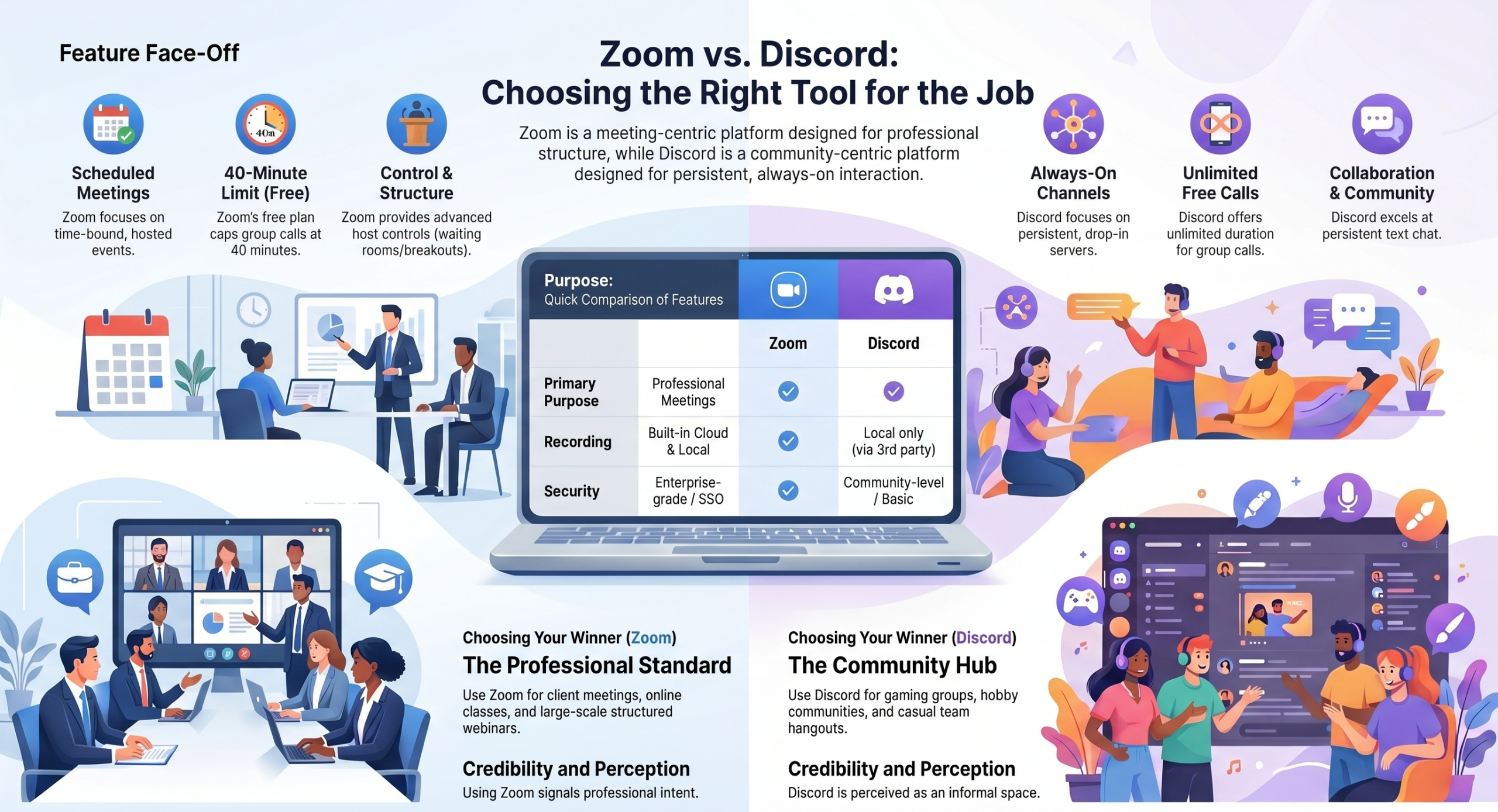
But here’s the truth: These two tools are built for fundamentally different jobs. Using the wrong one doesn’t just create friction. It also signals the wrong thing to your audience, your students, or your team.
This guide cuts through the noise. We’ll answer the Discord-vs-Zoom question directly, break it down by use case, and help you land on the right tool for your specific situation.
Zoom vs Discord: Which Should You Choose?
Before we go deep, here’s the short answer:
- Use Zoom if you’re running business meetings, online classes, webinars, or any structured professional call
- Use Discord if you’re managing a community, gaming with friends, or hanging out in informal group calls
- Use Zoom if you need scheduling, recording, waiting rooms, or attendee controls
- Use Discord if you want a persistent, always-on space where people can drop in and out freely
→ Get your customized Zoom solutions from ThinkMove Solutions today!
So, Can Discord Replace Zoom?
This is the real question. And the honest answer is: it depends on what you’re replacing it for.
Short answer for professional use: No.
Discord was not designed to replace Zoom for structured, professional communication. It lacks meeting scheduling, waiting rooms, proper admin controls, and the kind of security infrastructure that businesses and institutions require.
Longer answer: It depends on your context.
Discord can replace Zoom for:
- Casual calls with friends or small groups
- Community voice hangouts where there’s no fixed agenda
- Informal team check-ins in a non-corporate environment
- Gaming sessions and hobby group coordination
Discord cannot replace Zoom for:
- Business meetings with clients or external stakeholders
- Online classes that need attendance tracking and breakout rooms
- Webinars with large, structured audiences
- Any environment where security, recording, and host controls matter
The distinction is simple: Discord is a community platform with voice and video built in. Zoom is a meeting platform, and that’s it. That difference runs through every feature, every design decision, and every limitation of both tools.
What Is Zoom?
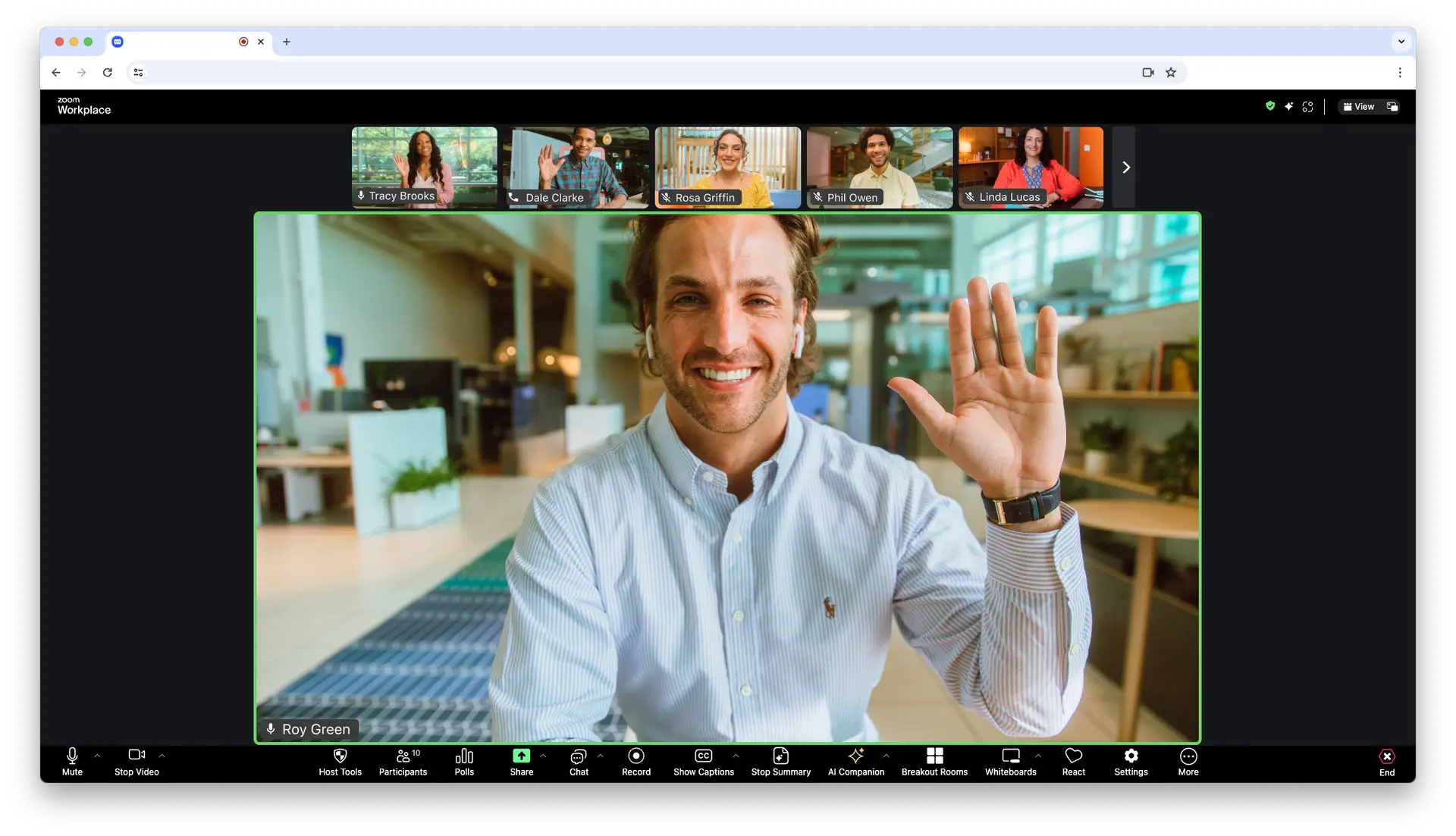
Zoom is a professional video conferencing platform built for structured communication. It was designed around the meeting, which is a scheduled event with a host, attendees, an agenda, and controls.
It’s the default choice for:
- Corporate teams and remote work
- Academic institutions and online classrooms
- Virtual events, webinars, and conferences
- Client-facing calls and sales demos
Everything in Zoom’s design, whether it’s the waiting rooms, breakout rooms, or cloud recording, exists to give the host control over the meeting experience.
→ Learn more about Zoom.
What Is Discord?
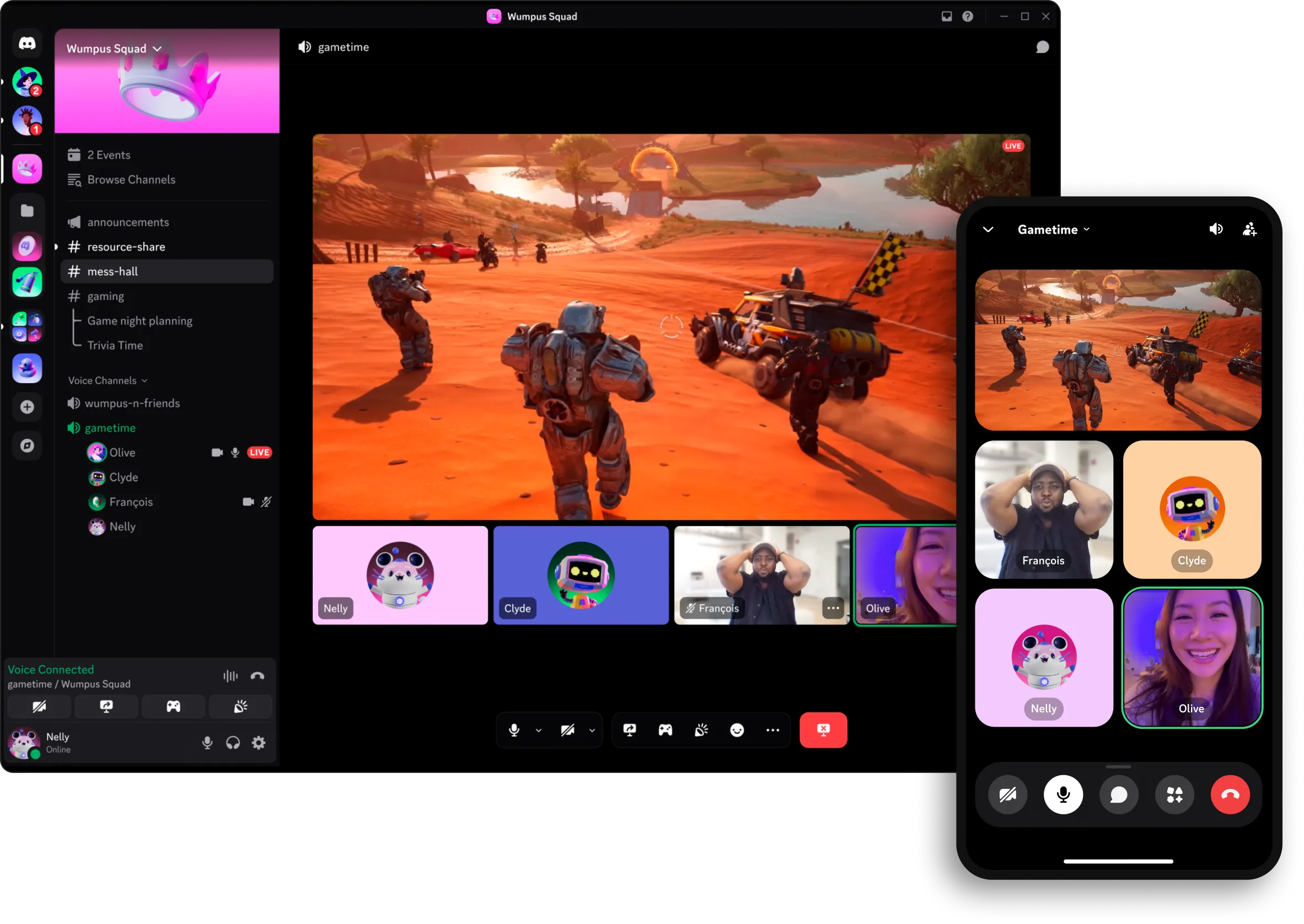
Discord started as a voice chat app for gamers and evolved into one of the largest community platforms on the internet. It’s built around persistent servers, which are ongoing spaces where communities live, share content, and communicate across text, voice, and video channels.
It’s the default choice for:
- Gaming communities and esports teams
- Online creator and fan communities
- Developer groups and open-source projects
- Casual friend groups who want a shared digital space
The key difference from Zoom: Discord doesn’t have meetings. It has channels. You don’t schedule a call. You just show up.
→ Learn more about Discord.
Zoom vs Discord: Key Differences at a Glance
| Feature | Zoom | Discord |
| Primary purpose | Professional meetings | Community platform |
| Video structure | Formal / scheduled | Casual / drop-in |
| Free call duration | 40 min (3+ people) | Unlimited |
| Recording | Built-in (cloud + local) | Local only |
| Waiting room | Yes | No |
| Breakout rooms | Yes | No |
| Participant controls | Advanced | Basic |
| Persistent text channels | No | Yes |
| Meeting scheduling | Yes | No |
| Enterprise security | Yes | Limited |
| Webinar hosting | Yes (paid) | No |
| Community servers | No | Yes |
Zoom vs Discord for Different Use Cases
This is where the real comparison happens. Features matter less than fit, which is entirely determined by what you’re actually trying to do.
For Business Meetings
Winner: Zoom
Discord has no business meeting infrastructure. There’s no calendar integration, no scheduling tool, no waiting room to hold participants before a call starts, and no way to properly manage a structured agenda.
Zoom, on the other hand, was built entirely around this use case. You get host controls, muting, participant management, cloud recording, and integrations with tools like Google Calendar, Outlook, Slack, and CRMs.
If you’re running a client call, a team standup, or a boardroom presentation, Discord isn’t even in the conversation. Zoom is the default, and for good reason.
For Online Classes
Winner: Zoom
Teaching online requires more than just a video call. You need to control who’s in the room, split students into smaller groups for activities, record sessions for those who miss class, and maintain an environment where learning can actually happen.
Zoom gives you all of that: breakout rooms, attendance visibility, screen annotation, polling, and cloud recording. Discord gives you a voice channel and a chat box.
For educators who are running a university course, a tutoring session, or a corporate training program, Zoom is purpose-built for your needs in a way Discord simply isn’t.
For Communities and Casual Calls
Winner: Discord
This is Discord’s home turf, and Zoom doesn’t belong here.
Discord servers are persistent. Your community lives there 24/7. Members can hop in and out of voice channels without anyone needing to schedule a meeting, send a link, or wait in a lobby. Text channels keep conversations going between calls. Roles and permissions let you organize large groups without it becoming chaos.
Zoom has none of this. Every Zoom call is an event, which starts and ends. There’s nothing left when it’s over. For communities, that’s exactly the wrong model.
For Webinars and Large Events
Winner: Zoom
Zoom Webinars is a dedicated product for large-scale online events. You get audience Q&A management, panelist controls, attendee registration, live streaming, and detailed analytics after the event.
Discord cannot host a webinar. You can stream on a server, but there’s no audience management, no registration, no structured Q&A, and no way to control the experience at scale.
If you’re running an event for 100+ people with a formal structure, Zoom is the only real option between these two.
Zoom vs Discord: Features Compared
Video and Audio Quality
Both tools deliver solid video and audio under normal conditions. Zoom has a slight edge in professional environments. Its background noise suppression, virtual background quality, and stability on weaker connections are more refined. Discord has improved significantly for casual use, but it can feel inconsistent in larger calls.
For a business meeting or online class, Zoom’s quality consistency matters. For a gaming session or community hangout, Discord is more than good enough.
Screen Sharing
Zoom offers more granular screen sharing controls. You can share a specific window, a portion of your screen, or your full desktop, with annotation tools layered on top. Discord screen sharing works well but is more basic, with fewer controls and no annotation.
For presentations and teaching, Zoom wins. For casual sharing like showing a game, a video, or a document, Discord handles it fine.
Recording
Zoom has built-in cloud recording on paid plans and local recording on all plans. Recordings are automatically transcribed (on paid plans), easily shareable, and organized within your Zoom account.
Discord has no native cloud recording. You’d need a third-party bot or external tool to record a Discord call, which adds friction and creates reliability issues.
If recording matters to you, Zoom is the clear choice.
Chat and Collaboration
Discord wins on persistent chat. Its text channels, threads, file sharing, and reaction tools create a genuine collaboration layer that outlives any single call. Zoom’s in-meeting chat disappears when the call ends unless you’ve enabled saving.
For ongoing team or community communication, Discord’s chat is a real advantage. For meeting-specific communication, Zoom’s in-call tools are sufficient.
Security and Privacy
Zoom offers end-to-end encryption (optional), SSO, admin dashboards, role-based access controls, and compliance certifications that enterprise and education customers require.
Discord’s security is adequate for community use but not built for enterprise requirements. It lacks the admin infrastructure, compliance tooling, and audit capabilities that regulated industries need.
For anything involving sensitive data, client information, or institutional compliance, Zoom’s security posture is significantly stronger.
Zoom vs Discord: Limitations of Both
Zoom Limitations
- Free plan restrictions: The 40-minute cap on group calls is the biggest friction point. It’s enough for a quick call, but disruptive for anything longer
- Cost at scale: Paid plans add up, especially for larger teams or institutions
- Setup and friction: Joining a Zoom call still requires more steps than dropping into a Discord channel. You need to download prompts, waiting rooms, and meeting links, and that’s just the start.
- No community layer: Once a meeting ends, Zoom offers no persistent space for ongoing communication
Discord Limitations
- Not built for structured meetings: No scheduling, no waiting rooms, no agenda management
- Weak admin controls for professional use: Discord’s permission system works for communities, not for enterprise security requirements
- No professional webinar tools: You cannot host a structured, large-scale event on Discord
- Recording requires workarounds: No native cloud recording means extra tools and extra friction
- Professional perception: Showing up to a client meeting on Discord sends the wrong signal. It’s a credibility issue as much as a features issue
Zoom vs Discord: Which One Is Right for You?
Stop overthinking it. Use this:
- You need structured meetings with clients or colleagues → Zoom
- You need to run online classes with real controls → Zoom
- You need to host a webinar or large virtual event → Zoom
- You need enterprise-grade security and compliance → Zoom
- You’re building or managing an online community → Discord
- You want casual, always-on voice channels with your team or friends → Discord
- You need persistent text channels alongside voice → Discord
- You want unlimited free calls in an informal setting → Discord
The cleaner way to think about it: If someone is attending something you’re hosting, use Zoom. If people are just hanging out in a shared space, use Discord.
Best Alternatives to Zoom (Including Discord)
If you’re questioning Zoom, you’re probably weighing a few options. Here’s how the main alternatives stack up:
Discord: Best for community-first communication. Free, unlimited calls, persistent servers. Not a Zoom replacement for professional use, but excellent for what it’s actually built for.
Microsoft Teams: The strongest Zoom competitor for enterprise environments. Deep integration with Microsoft 365, strong security, and solid meeting tools. If your organization runs on Microsoft, Teams deserves a serious look.
→ See our full Zoom vs Microsoft Teams comparison
Google Meet: Simple, browser-based, and free for most users through Google accounts. Strong for education and Google Workspace users. Lacks some of Zoom’s advanced meeting controls.
→ See our full Zoom vs Google Meet comparison
Webex: Cisco’s enterprise conferencing tool. Solid security and compliance features are popular in large enterprises and regulated industries.
Whereby: Lightweight browser-based video calls with no downloads required. Good for quick external calls where you don’t want to ask clients to install anything.
For most businesses and educators, the real decision comes down to Zoom, Teams, or Meet. This mostly depends on your existing software ecosystem.
When Zoom Is the Better Choice for Your Organization
If your work involves clients, students, large audiences, or sensitive data, Zoom is the more reliable long-term investment.
Discord is a great tool. But it was built for a different job. Asking it to run your business meetings or host your online classes is like using a group chat to manage a project. It kind of works until it really doesn’t.
Zoom gives you the controls, the consistency, and the professional infrastructure that serious communication requires. And for organizations in Nepal looking for a reliable, scalable video conferencing solution, that matters.






How We Do it ?
Powering Growth
with Cloud & Automation
Get started in
minutes
Get the latest tech trends, tips & tools
delivered monthly.

 Microsoft Azure
 DevOps
  Software Development
  Staff Augmentation
  React JS
  HTML / CSS / JS
  Website Redesign
  Zoom
Zoom  Bulk Sms
  AIMS
AIMS  Can Discord Replace Zoom for Meetings, Classes & Communities?
Send a message
We're here to help and answer any questions regarding Zoom you might have. Reach out to us — we'd love to hear from you!